Owners and managers
Useful for seeing at a glance whether the day is likely to support outdoor service, local footfall, delivery conditions, or changes in customer rhythm.

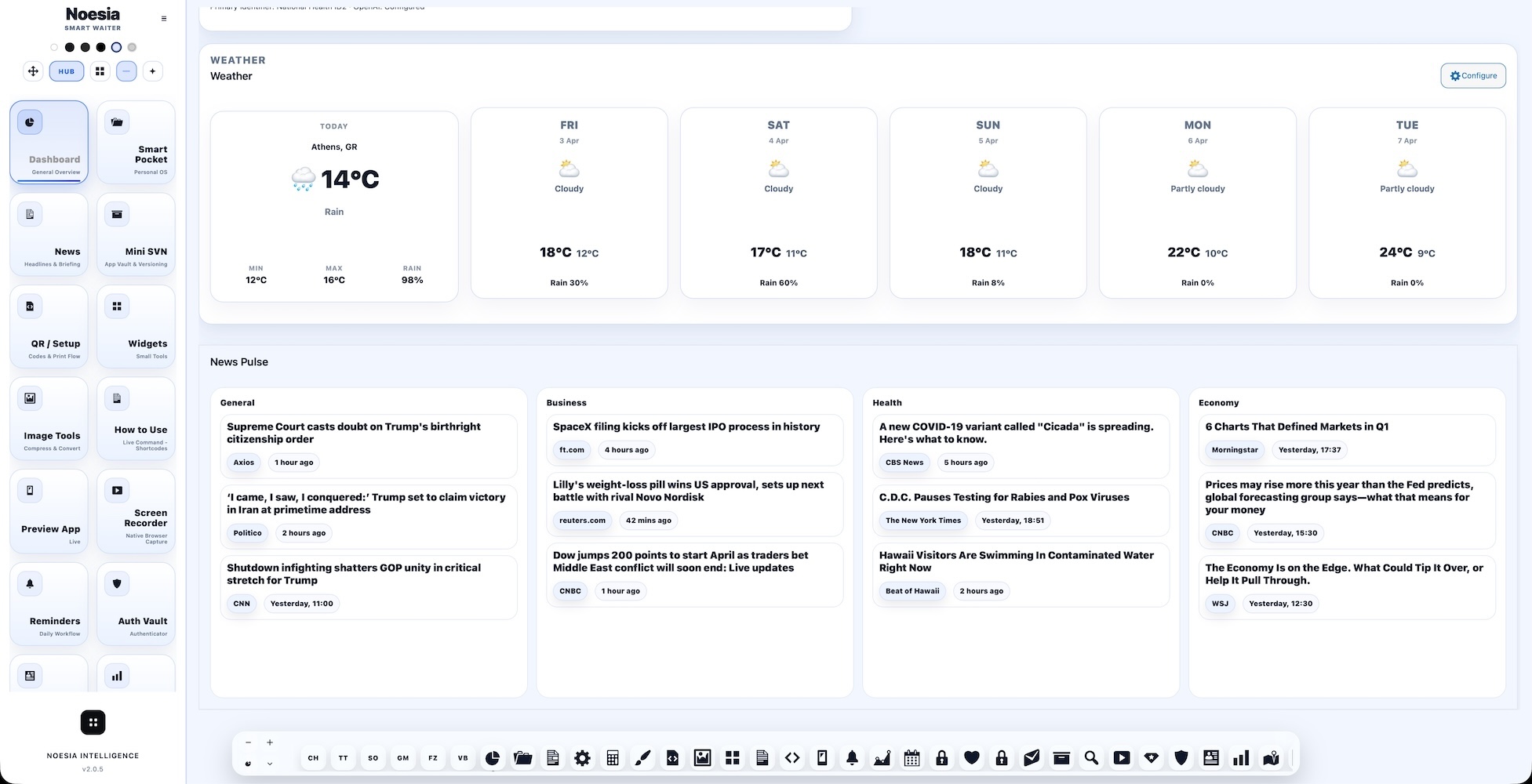
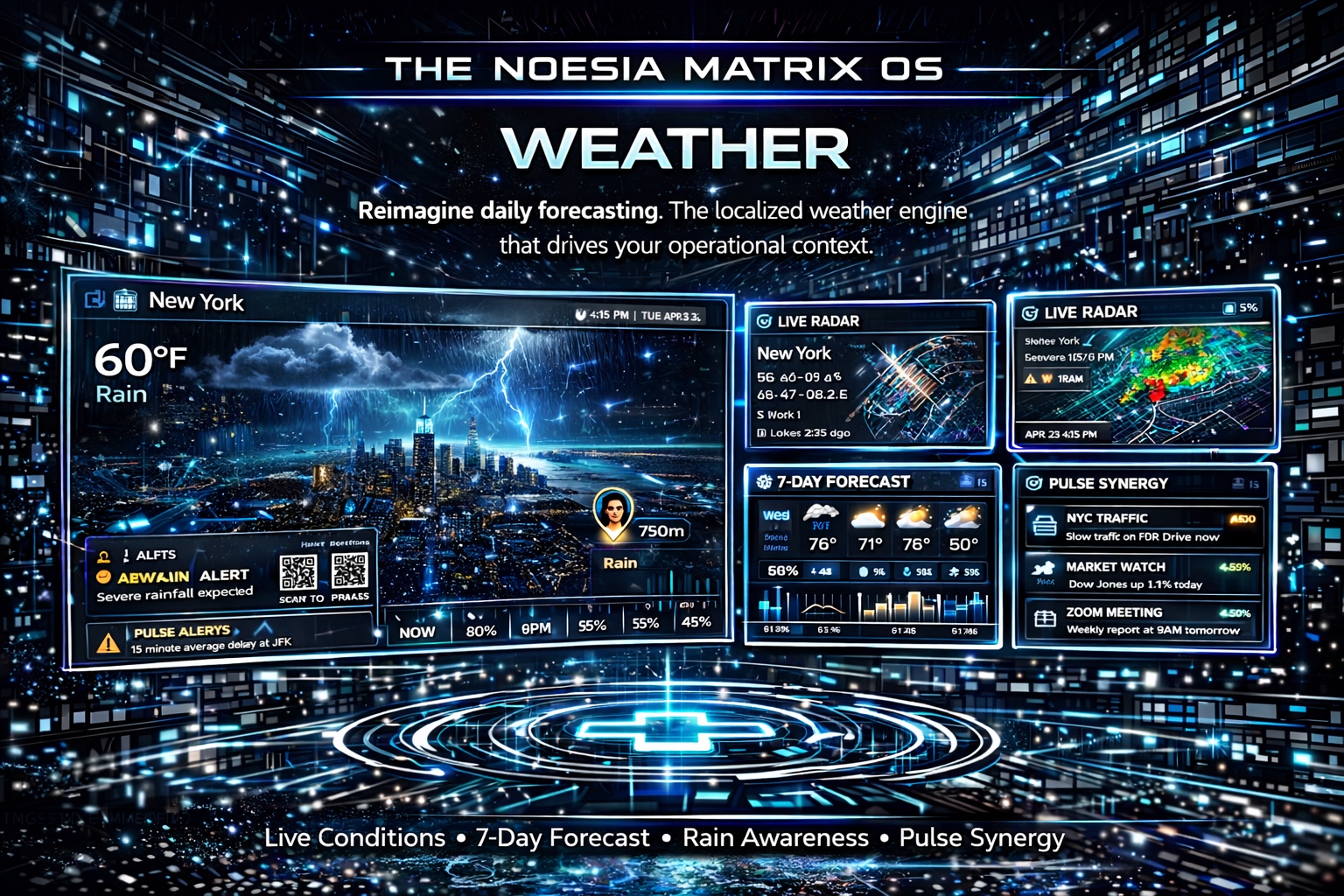
Weather is the localized forecast and operational weather-intelligence surface of Noesia Smart Waiter. It gives the installation a clean current-conditions view plus a useful 7-day forecast, and it also feeds the wider dashboard logic with weather-aware context. When combined with Settings and Global Pulse, the module helps the business move from raw temperature data to smarter day planning, service adjustments, and cleaner local awareness.
Useful for seeing at a glance whether the day is likely to support outdoor service, local footfall, delivery conditions, or changes in customer rhythm.
Useful for cafés, beach bars, terraces, restaurants, and hotels where temperature, rain, and general conditions change service priorities fast.
Useful when the installation should not only show weather, but also help power Business Pulse, Global Pulse context, and smarter daily awareness across the shell.
Admin path: open the Noesia Smart Waiter admin area and select Weather from the plugin shell navigation.
Tier: this module is part of the Free tier.
Role expectation: intended for administrators, managers, and business operators who want local weather awareness inside the same shell as their operational tools.
Weather becomes operationally useful only when the installation points to the real venue or business location.
Align the wider dashboard language behavior so Weather, News, and Global Pulse feel consistent across the shell.
The module becomes much stronger when the team looks beyond “right now” and uses the weekly outlook for real operational decisions.
The best use is not isolated weather-checking, but weather-aware daily planning inside the full Noesia command surface.
Use it early in the day to understand local conditions before service or planning starts.
Check the immediate conditions, rain signal, and general comfort outlook for the venue.
Look past today and use the weekly view to think about staffing, tables, deliveries, or event timing.
Let Weather inform how you interpret Global Pulse, Business Pulse, and the wider rhythm of the day.
If the forecast or language feels wrong, return to Settings first before assuming the module itself is broken.
This matters because it gives the fastest read on what kind of day the venue is entering right now.
This matters because it turns weather into planning intelligence rather than a decorative one-day widget.
This matters for outdoor service, terrace planning, local demand, and hospitality timing decisions.
The Weather module matters more because its location and language behavior stay connected to the central Settings surface.
Weather is stronger because it participates in the full command surface rather than existing as a lonely side widget.
The module helps Global Pulse and broader dashboard context feel more grounded in the real local environment.
Use the current card and 7-day forecast to decide whether the business should lean into terrace seating, indoor focus, or weather-sensitive service adjustments.
The 7-day forecast helps shape decisions beyond today, especially when the venue expects demand changes based on sun, wind, heat, or rain.
Use Weather together with Global Pulse and the wider dashboard so the daily command surface reacts to local reality instead of generic assumptions.
If the module looks strange, the right fix path often starts in Settings rather than in the Weather view itself.
Issue: the forecast does not seem to match the business location.
Why it happens: the location in Settings may be incomplete, incorrect, or not aligned with the actual venue context.
What to do: verify the location and save the relevant Settings again before assuming the module itself is failing.
Issue: the weekly outlook is present but does not feel rich enough.
Why it happens: weather modules are most useful when paired with correct location context and the wider dashboard behavior around them.
What to do: confirm location first, then review how the module behaves inside the dashboard ecosystem instead of judging it as a standalone card only.
Issue: Weather output does not feel aligned with News or Global Pulse.
Why it happens: the relevant language or dashboard context settings may not be aligned.
What to do: review the dashboard language and related Settings first, then reload the dashboard-aware surfaces.
Issue: the team sees the weather but does not use it for real decisions.
Why it happens: the venue has not yet integrated weather into daily operational thinking.
What to do: use the current card plus the 7-day forecast as real planning input for staffing, tables, events, and customer-flow assumptions.
Yes. It belongs to the free tier and acts as the localized forecast and operational weather-context surface of the platform.
Yes. The weekly forecast is one of the most useful parts of the module.
Yes. Correct location and wider dashboard context from Settings are important for meaningful weather output.
It contributes to a smarter overall dashboard context and helps pulse-style surfaces feel more grounded in local reality.
Because sun, rain, heat, and general local conditions can strongly change customer rhythm, outdoor use, and service priorities.
Yes, but you lose much of its value if you ignore the 7-day forecast.
Yes. It is one of the key modules that gives local reality to the full command surface.
Start with Settings and location verification before assuming the module itself is broken.
Yes. Weather feels much better when it follows the same dashboard language logic as the rest of the shell.
Very much so. Those are some of the strongest use cases.
Yes, especially when the venue already knows that customer rhythm changes with the forecast.
Yes. It is one of the modules that gives the dashboard real local intelligence instead of generic atmosphere only.
The Noesia Matrix is the shared architecture language and module fabric behind Noesia Smart Waiter. This module is not just a static page; it sits inside an isolate-first modular system designed for shell-driven navigation, clean section ownership, extensible widget zones, and future-safe expansion.
The architecture direction is intentionally high-control: modular ownership, isolated assets, lazy-ready behavior, clean settings flow, predictable prefixes, maintainable service boundaries, and enterprise-safe discipline around structure, security, and extensibility. Noesia transcends the definition of a standard WordPress plugin, operating as a robust platform built upon enterprise-grade Service-Oriented Design.
Here is how the core engine is designed to minimize bloat, maximize stability, and keep the experience consistently fast and responsive:
Event-Driven Inversion of Control (IoC): The platform follows an IoC pattern via a decoupled Event Bus. The central core acts as a “Logic-Less Host” (Blind / DUMMY Kernel). It does not tightly bind itself to module internals; modules announce their own presence, capabilities, and state through controlled registration flows.
The Micro-Frontend Paradigm (MFE): The UI is not a giant monolithic block. Each application behaves as an independent Micro-Frontend with its own dynamic assets, specialized logic, and UI contracts.
Strict Asset Isolation & Lazy-Loading: Resource usage stays disciplined. A module’s CSS, JavaScript, and data components are loaded only when the user reaches or interacts with that specific application surface.
Decoupled Registry Pattern: The dynamic discovery layer allows applications to be added or removed quickly without rewriting core logic. If one application encounters an issue, the architecture is designed to contain that impact instead of cascading it across the platform.
Enterprise-Grade Security & Stability: The platform is reinforced with strict input sanitization, dynamic registry routing, and defensive safety gates across the stack. The data layer and the user interface remain deliberately separated for maintainability and risk control.
The Result: A scalable hospitality and clinical operating system engineered to manage mission-critical workflows securely — from intimate cafés to high-traffic venues and sensitive medical environments.
When you open a ticket, include one clean screenshot, the exact visible error text, short reproduction steps, and the configured location that should be driving the forecast. That reduces back-and-forth and speeds up resolution.
Open SupportEnter the application layer: Explore the full Noesia Smart Waiter ecosystem and discover how each isolated module helps serve hospitality, operations, business workflows, and the wider mission to reimagine life through smarter software.
Scroll into the Matrix: The catalog below is the live gateway to the platform. Move through Free and Pro environments, open each documentation page, and step directly into the next application surface.