Plugin builders and app teams
Useful for teams that constantly produce ZIP builds, branch snapshots, hotfix packages, and release candidates but do not want those files drifting between desktops, chats, and random folders.

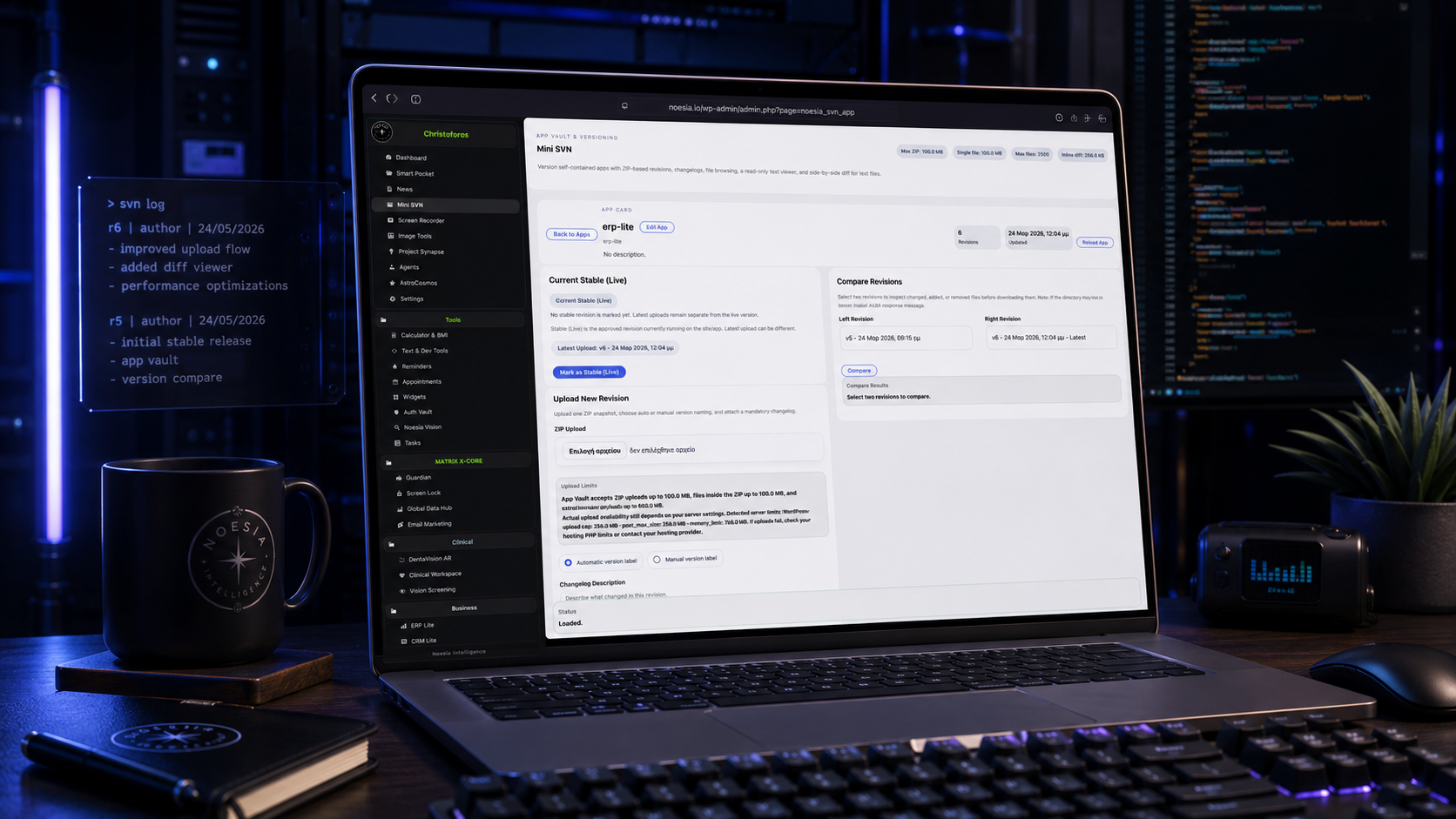
Mini SVN is the internal package vault and release-organization module of Noesia Smart Waiter. It gives operators a controlled place to ingest ZIP builds, preserve app history, track version snapshots, compare release movement, and keep internal distribution cleaner than scattered folders, renamed archives, or ad hoc backup habits.
Useful for teams that constantly produce ZIP builds, branch snapshots, hotfix packages, and release candidates but do not want those files drifting between desktops, chats, and random folders.
Useful when one person needs to know which build is newest, which package was shipped, what changed between two versions, and where older archives still live.
Useful for maintaining one clean app vault where package intake, release notes, archive history, and internal handoff remain understandable months later.
It is the internal versioning command layer of Noesia Matrix OS X_Code. Inside Noesia, every serious app needs memory. Every release needs control. Every change needs a trace.
Mini SVN was built as a focused App Vault where self-contained applications can be stored, versioned, inspected, compared and protected before they become part of the live system.
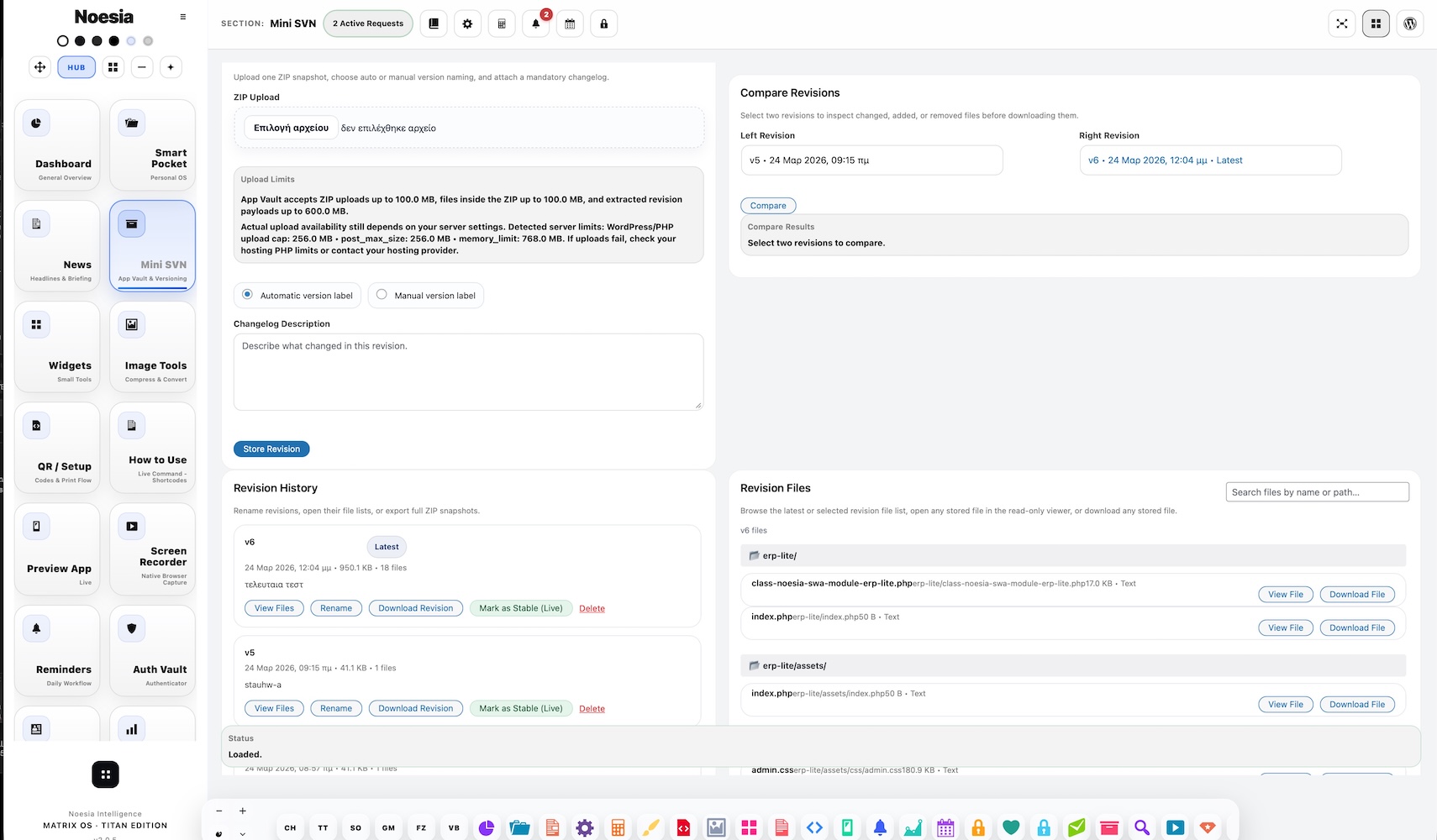
Upload a full ZIP snapshot. Attach a mandatory changelog. Browse the files inside every revision. Search by filename or path. Open stored files in a read-only viewer. Download the full revision ZIP or any individual file.
See changed, added and removed files. Open a split diff viewer for text-based files, with additions and removals clearly highlighted.
This is not chaos. This is controlled software evolution.
Admin path: open the Noesia Smart Waiter admin shell and select Mini SVN from the Pro module navigation.
Tier: this module belongs to the Pro layer.
Usage model: Mini SVN is designed as an internal administrative workspace, not as a public or shortcode-facing module.
Before uploading real builds, decide how version names, environments, and notes will be written so the vault stays readable after the first few weeks.
Teams move faster when stable, hotfix, RC, and test archives are clearly identified instead of being mixed under vague ZIP names.
Mini SVN becomes more reliable when intake and compare flow are handled by trusted internal users instead of being edited by everyone.
The goal is not to write essays; it is to leave enough context so the next person immediately knows what changed, what was fixed, and why that package matters.
Enter the module with the package ready, decide the version label, and make sure the build belongs in the correct release stream before uploading.
Send the build into the internal vault so it is captured inside the controlled app package history rather than living as a loose file.
Record what the package is for, what changed, and whether it is stable, test, staging, or a hotfix candidate.
Use the compare-oriented flow to inspect movement between versions before deciding what should be retained, distributed, or promoted.
Archive older builds responsibly and keep the version vault understandable so future release work starts from clarity, not from folder archaeology.
The first surface shows the current package state, recent releases, and the overall structure of the internal version workspace.
This is where ZIP files enter the system. It matters because package intake quality affects everything that comes after it.
The chronological release list is the module’s memory. It should tell you quickly what exists, what is current, and what has already moved into history.
This area is where one package becomes understandable through notes, labels, context, and version-specific identity.
The compare-oriented view helps internal users decide what changed and whether a build is actually the one they intend to move forward with.
Older packages should remain accessible, but organized. This area keeps history visible without overwhelming the current working set.
Version chips, notes, or internal state indicators help teams distinguish stable from test, current from legacy, and candidate from approved.
The management actions around upload, compare, archive, and review are what turn the module from a file dump into a disciplined package workflow.
Upload the new ZIP, label it correctly, add a short release note, and preserve it as part of a clean internal release sequence.
Use the compare-oriented workflow when a team needs to see whether a hotfix build is meaningfully different from the package it replaces.
Use the history list and release notes to reconstruct what version was promoted and why, without depending on memory or private chat threads.
Archive older builds responsibly so the active list remains understandable while still preserving older packages for reference.
One of the strongest uses of Mini SVN is making the next person immediately understand which build matters and what changed in it.
Issue: Mini SVN loads, but there are no meaningful builds visible.
Why it happens: no ZIP packages have been ingested yet, or the team expected older external archives to already be inside the vault.
What to do: start with a clean upload into the module itself and confirm what the active package flow should be going forward.
Issue: the file exists, but the release context is unclear.
Why it happens: labels and notes were too vague, or the version naming convention was never standardized.
What to do: rename your internal release logic and add short but useful notes for every important build.
Issue: users cannot tell which package is the correct one.
Why it happens: uploads were made without consistent version, environment, or purpose labels.
What to do: adopt one naming rule immediately and stop adding ambiguous packages into the vault.
Issue: a comparison exists, but nobody knows why the compared builds matter.
Why it happens: diff review alone is not enough if the release note and package purpose were not captured first.
What to do: treat compare flow and release note flow as one discipline, not as separate afterthoughts.
Issue: older packages are preserved, but the history still feels noisy.
Why it happens: nothing was classified clearly as stable, legacy, test, or obsolete.
What to do: separate active releases from historical retention and keep package intent visible in the notes.
Issue: people still ask privately which build they should use.
Why it happens: the vault exists, but the release notes and current-state discipline are too weak.
What to do: keep Mini SVN authoritative by documenting the package directly where the package lives.
Issue: the UI is there, but teams still do not rely on it.
Why it happens: trust comes from consistent use, not from one upload. A vault becomes reliable when package naming, notes, and archive discipline stay stable.
What to do: make Mini SVN the single internal release reference instead of keeping parallel private systems.
Issue: spacing, layout, or typography looks wrong inside the site builder.
Why it happens: outside CSS overrides the wrapper or custom selectors were added beyond the namespaced surface.
What to do: keep the snippet self-contained inside the noesia-swa-matrix wrapper and avoid generic site-wide selectors.
Yes. Mini SVN belongs to the Pro tier.
No. Mini SVN is designed as an internal administrative workspace.
Its core purpose is ZIP intake, version history, release organization, and cleaner internal package control.
Yes. One of its strongest benefits is preserving internal release context instead of relying on memory or chat history.
Because the module is positioned as a compact internal version-and-vault layer rather than a full external repository platform.
Its package intake logic is centered around build archives, especially ZIP-based internal release flow.
Yes. The module is designed to support compare-oriented review between releases.
Yes. Archive discipline is one of the reasons the module exists.
Developers, release managers, administrators, and internal product teams benefit the most.
No. It is an internal Noesia module for release organization and package control inside the platform context.
Because without notes, package history quickly becomes a pile of filenames instead of an understandable release timeline.
Yes. That is one of the practical reasons teams use it.
The Noesia Matrix is the shared architecture language and module fabric behind Noesia Smart Waiter. This module is not just a static page; it sits inside an isolate-first modular system designed for shell-driven navigation, clean section ownership, extensible widget zones, and future-safe expansion.
The architecture direction is intentionally high-control: modular ownership, isolated assets, lazy-ready behavior, clean settings flow, predictable prefixes, maintainable service boundaries, and enterprise-safe discipline around structure, security, and extensibility. Noesia transcends the definition of a standard WordPress plugin, operating as a robust platform built upon enterprise-grade Service-Oriented Design.
Here is how the core engine is designed to minimize bloat, maximize stability, and keep the experience consistently fast and responsive:
Event-Driven Inversion of Control (IoC): The platform follows an IoC pattern via a decoupled Event Bus. The central core acts as a “Logic-Less Host” (Blind / DUMMY Kernel). It does not tightly bind itself to module internals; modules announce their own presence, capabilities, and state through controlled registration flows.
The Micro-Frontend Paradigm (MFE): The UI is not a giant monolithic block. Each application behaves as an independent Micro-Frontend with its own dynamic assets, specialized logic, and UI contracts.
Strict Asset Isolation & Lazy-Loading: Resource usage stays disciplined. A module’s CSS, JavaScript, and data components are loaded only when the user reaches or interacts with that specific application surface.
Decoupled Registry Pattern: The dynamic discovery layer allows applications to be added or removed quickly without rewriting core logic. If one application encounters an issue, the architecture is designed to contain that impact instead of cascading it across the platform.
Enterprise-Grade Security & Stability: The platform is reinforced with strict input sanitization, dynamic registry routing, and defensive safety gates across the stack. The data layer and the user interface remain deliberately separated for maintainability and risk control.
The Result: A scalable hospitality and clinical operating system engineered to manage mission-critical workflows securely — from intimate cafés to high-traffic venues and sensitive medical environments.
When you open a ticket, include one clean screenshot, the exact visible error text or wrong result state, short reproduction steps, and whether the problem is constant or intermittent. That reduces back-and-forth and speeds up resolution.
Open SupportEnter the application layer: Explore the full Noesia Smart Waiter ecosystem and discover how each isolated module helps serve hospitality, operations, business workflows, and the wider mission to reimagine life through smarter software.
Scroll into the Matrix: The catalog below is the live gateway to the platform. Move through Free and Pro environments, open each documentation page, and step directly into the next application surface.