noesia

Noesia Smart Waiter / Module Documentation
Pro Event-Driven IoC Isolated/X-Core Micro-Frontend Campaign Autonomy

EMAIL MARKETING

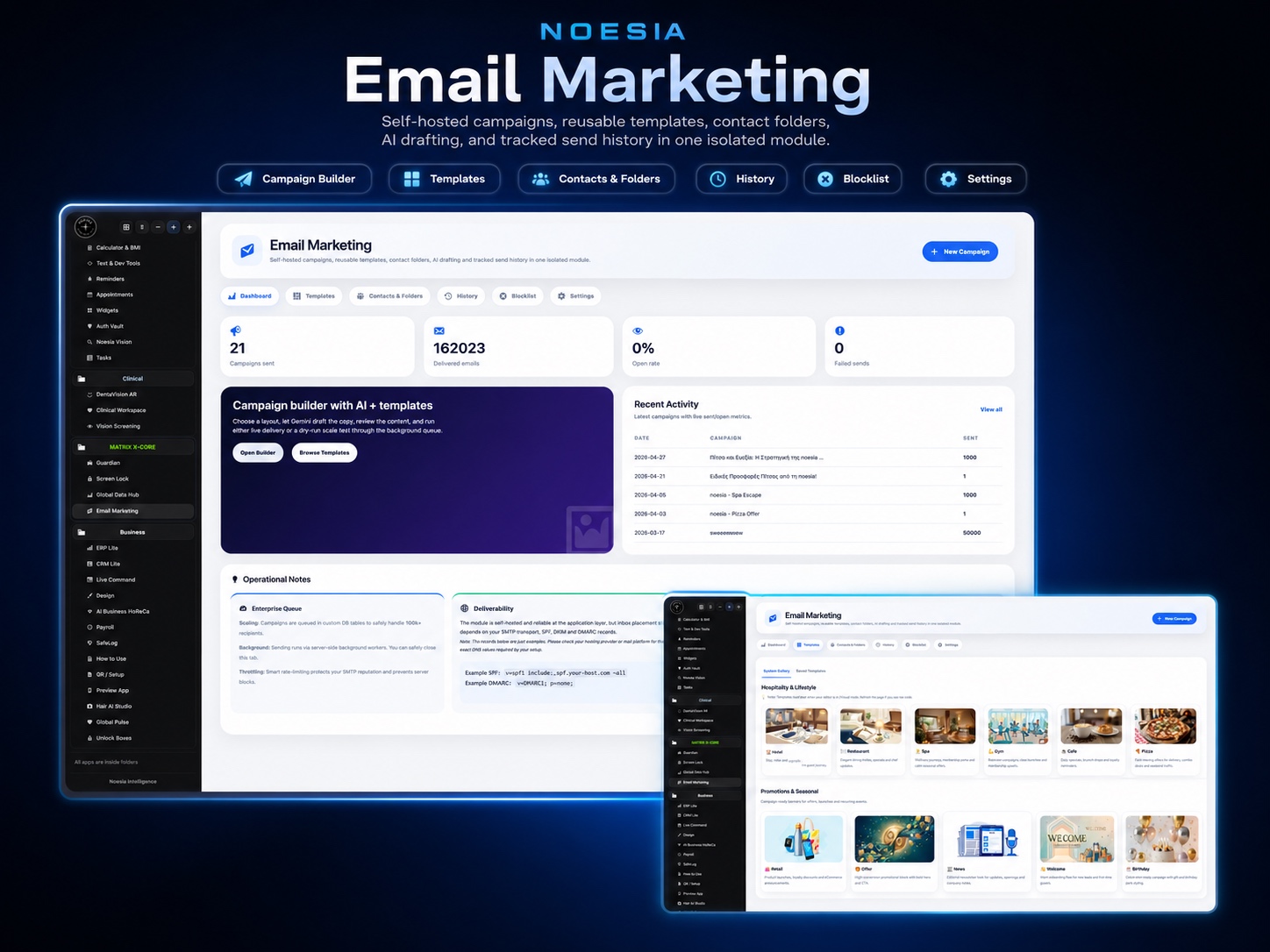
Email Marketing is the self-controlled outreach engine of Noesia Smart Waiter. It is designed for businesses that want to send campaigns simply, fast, and privately, without paying external marketing platforms to hold or process their audience. Inside one lightweight module, teams can organize contact folders, prepare mass email flows, use AI Writer, launch reusable templates, block unwanted recipients, and run one-click large-volume simulation tests for 100,000+ email scenarios before going live so they keep control over reliability, privacy, and operational confidence.

Primary role Private in-platform email campaigns
Key live areas Templates, AI writer, folders, bulk send, simulation
Best for Restaurants, hotels, brands, lists, repeat marketing
Who is it for

Built for teams that want serious outreach without paying a third party to own their audience

Hospitality businesses and repeat-visit venues

Useful for restaurants, hotels, cafés, beach bars, and lifestyle venues that want to communicate offers, reminders, special nights, loyalty messages, holiday greetings, or service updates directly from their own environment.

Operators who want simplicity over chaos

Useful for users who want a clean, lightweight campaign tool instead of a bloated maze of endless settings. The module focuses on practical sending flow, clear organization, and fast decision-making.

Businesses that care about privacy and autonomy

Useful when a company wants to keep customer relationships, mailing data, and campaign workflow inside its own controlled application layer instead of continuously sharing business-sensitive audience data with third-party platforms.

Signal Overview

The practical advantages that define the Email Marketing module

AutonomyNo third-party dependency

Keep audience, writing flow, folders, and sending logic inside your own operational platform.

Reliability100,000+ simulation testing

Run one-click large-volume test scenarios before live sending so the team can validate confidence and stress behavior.

ProductivityAI Writer + ready templates

Move from idea to campaign fast, with reusable layouts and AI-assisted copy generation.

ControlFolders, blocking, clean audience handling

Organize mailing groups clearly, block unwanted users, and keep lists manageable instead of messy.

Noesia Email Marketing

Email Campaigns. Built Like a Growth Engine.

Premium campaign creation, audience messaging, branded communication flows, and a clean marketing command center inside Noesia Matrix OS.

Campaign Center
Audience Messaging
Growth System
Premium Marketing UI
Campaign Ready
Growth Engine
Noesia Email Marketing interface
Main Features

What the Email Marketing module actually delivers

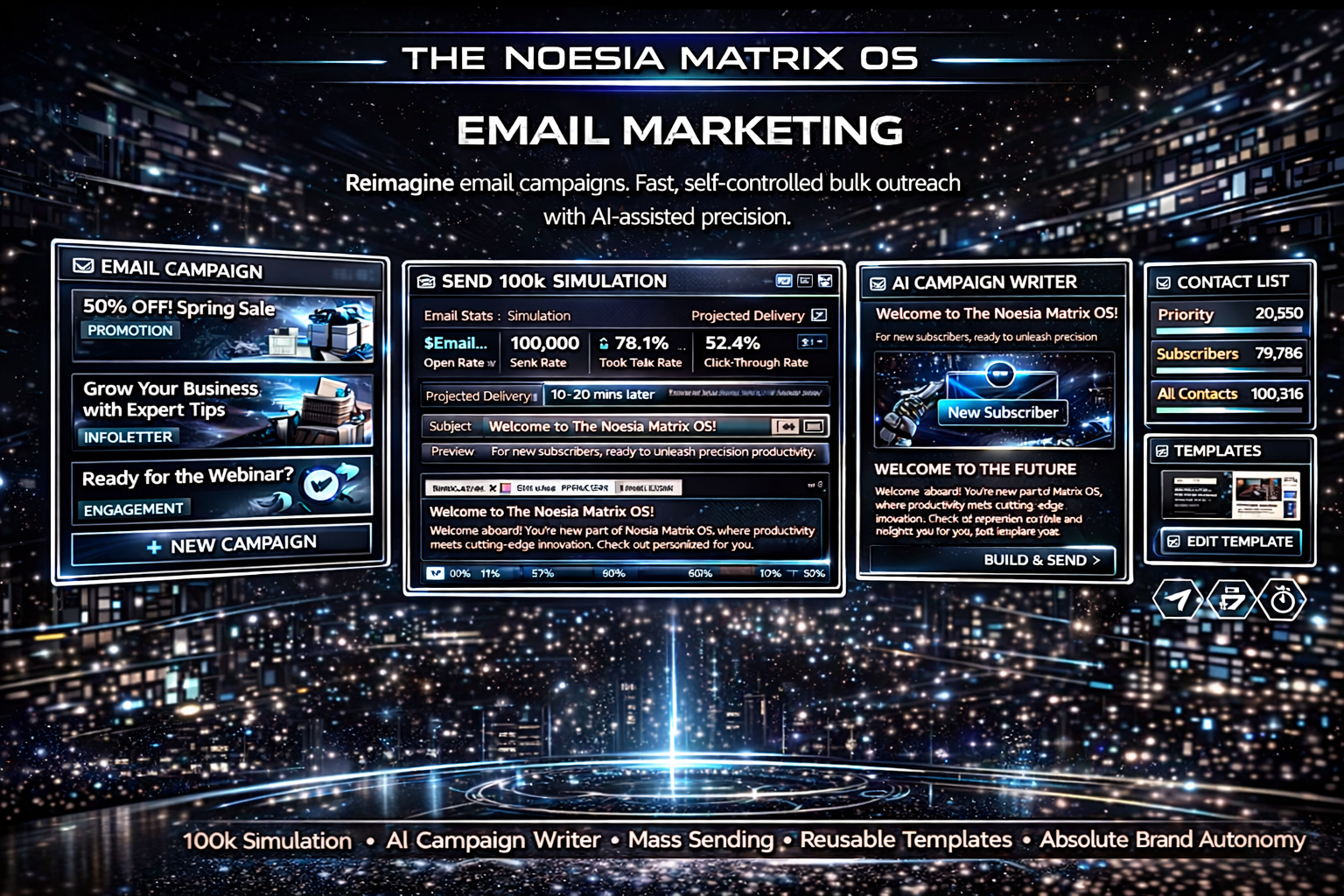
One-click simulation testing for 100,000+ email scenarios

  • High-volume simulation mode designed for operational confidence checks.
  • Useful before live campaigns when the team wants to inspect reliability behavior, list structure, and expected load logic.
  • Helps the operator test with confidence instead of sending blindly.

AI Writer inside the campaign workflow

  • AI-assisted message drafting for promotions, announcements, reminders, and branded communication.
  • Useful when operators need fast first drafts, cleaner structure, and better campaign speed.
  • Supports productivity without forcing teams into an external copy platform.

Ready templates and reusable campaign patterns

  • Template-first workflow for repeat campaigns.
  • Useful for special offers, holidays, events, newsletters, loyalty messages, and routine operational announcements.
  • Reduces friction for teams that want consistency without rebuilding layouts every time.

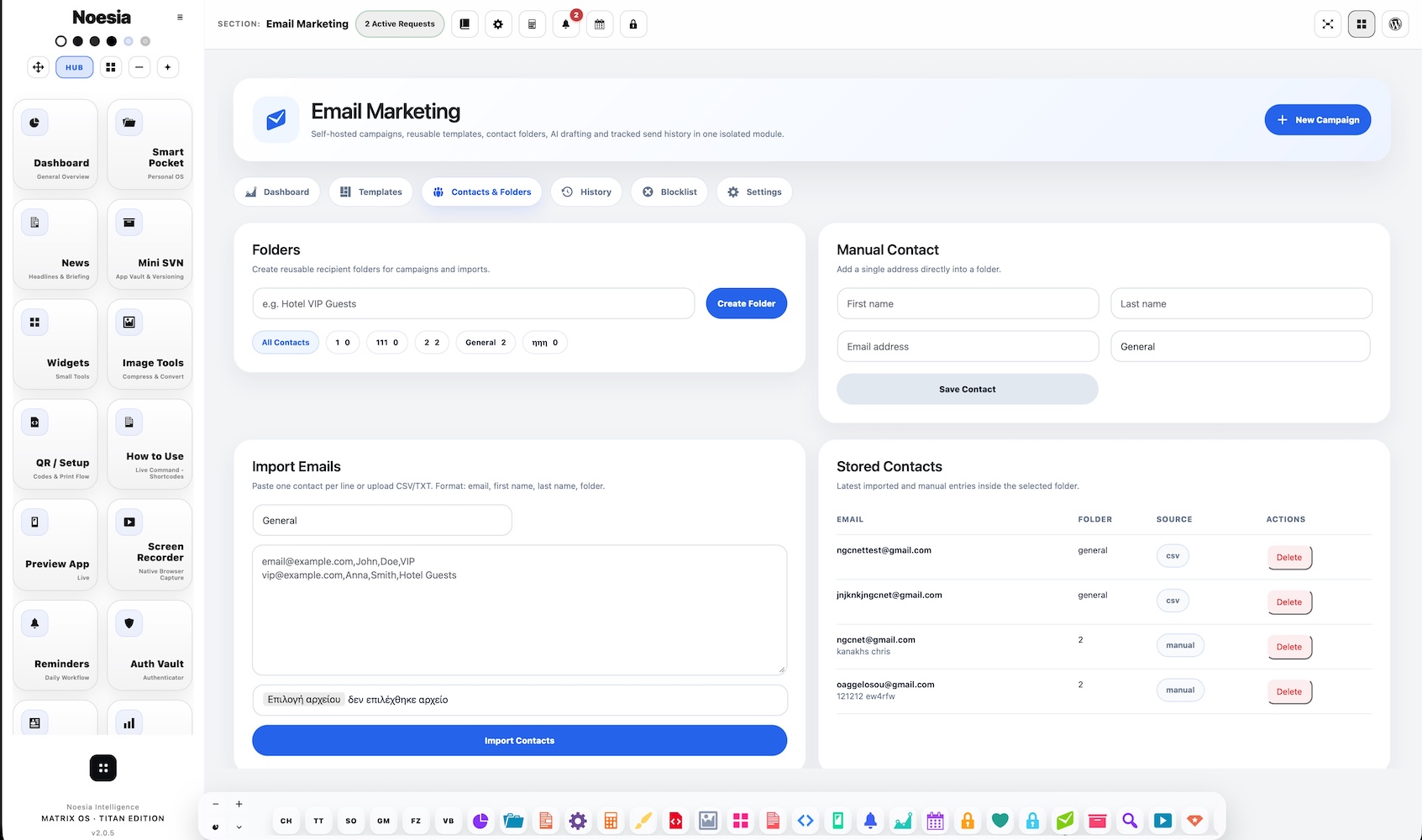
Mass emailing with folder-based organization

  • Create folders or grouped audience logic for better campaign organization.
  • Useful when businesses need targeted communication without turning the list into chaos.
  • Supports bulk sending in a way that still feels structured and manageable.

Block user and suppression control

  • Prevent sending to unwanted or excluded recipients.
  • Useful for respecting internal suppression logic, removal requests, or operational blacklists.
  • Keeps the audience cleaner and the outreach safer.

Self-controlled privacy-first campaign ownership

  • Do not continuously hand customer relationships to third-party marketing services.
  • Preserves stronger operational autonomy and clearer data responsibility.
  • Useful for businesses that care about trust, privacy, and long-term customer ownership.

Simple two-step bulk sending philosophy

  • Prepare the content.
  • Select the audience and send.
  • Built to stay lightweight and practical instead of burying the user under endless settings.

No need to pay an outside platform for every campaign

  • Reduce recurring dependence on external email platforms.
  • Keep more of the workflow and business control inside your own application layer.
  • Useful for businesses that want software efficiency without escalating service costs.
How to Access It

Where Email Marketing lives in the platform

Admin path: open the Noesia Smart Waiter admin shell and select Email Marketing from the module navigation.

Tier: this module belongs to the Pro layer.

Operational role: it is designed to give the business a direct campaign workspace without needing to manage outreach entirely through an outside email service.

Setup / Configuration

Recommended setup before you start sending campaigns

01

Organize your list structure first

Create the folder logic you want to use before sending. Clear grouping makes campaigns cleaner, more targeted, and easier to review later.

02

Decide your reusable template types

Set the basic categories you will reuse most often, such as offers, events, reopenings, reminders, or loyalty campaigns, so the module stays fast and practical.

03

Run simulation before live sending

Use the simulation mechanism first when testing larger sends. This is especially useful when validating flow or confidence around high-volume campaign behavior.

04

Keep privacy and consent discipline strong

Even when everything is self-controlled, responsible audience handling matters. Use suppression, blocking, and clear list hygiene so the module stays trustworthy.

How to Use It

Typical campaign flow from draft to delivery

01

Create or select a target folder

Start with the audience structure so the message is prepared for the right group instead of becoming another generic mass blast.

02

Open a ready template or draft with AI Writer

Use templates for speed or AI Writer for content creation. The goal is to move fast without losing clarity or brand tone.

03

Review blocked and excluded recipients

Before sending, confirm that suppression and block logic are respected so the campaign remains clean and operationally safe.

04

Run simulation if needed

For larger campaigns or sensitive launches, use the large-volume simulation flow first to inspect reliability confidence before the live action.

05

Send in two practical steps

Prepare the message, select the audience, and launch. The module is intentionally simple so a business can send thousands of emails without drowning in confusing setup.

06

Reuse the winning structure later

Store useful templates and folders so future campaigns get faster, more consistent, and easier for the team to manage.

Why it matters

Serious email control without renting your customer relationship to someone else

No endless monthly dependence: many businesses end up paying outside platforms just to communicate with people they already worked hard to acquire. Email Marketing changes that by giving the operation an internal campaign layer it can actually control.

Simple by design: this module was not built to bury the user under a wall of complicated parameter trees. It was built to stay useful, clear, fast, and operationally productive.

Privacy is not an afterthought: keeping campaigns closer to your own software stack helps you avoid unnecessary sharing of customer relationship data with third-party services.

Screens / Interface Guide

The interface areas that matter most in Email Marketing

Campaign builder

The core working surface where operators create or prepare the message they want to send.

AI Writer area

The drafting layer that helps teams move faster when producing promotional, informative, or retention-focused copy.

Template library

The reusable campaign section where common layouts or messaging patterns can be stored for future use.

Folders and audience structure

The organizational layer that keeps bulk mail readable, sortable, and easier to control over time.

Simulation / test engine

The confidence-check area used for one-click high-volume simulation scenarios before real sending.

Suppression / block layer

The safety control area that helps the operator avoid sending to users who should not receive campaign traffic.

Common Workflows

Real examples of how teams use Email Marketing

Fast offer launch without outside SaaS friction

Create a short event offer, use a ready template, choose the correct audience folder, review suppression, and send directly from your own environment instead of opening multiple external tools.

AI-assisted seasonal campaign

Use AI Writer to prepare campaign text for holidays, room packages, special menus, or reopening announcements, then adjust and reuse it as a template for the next cycle.

Reliability confidence before a big send

Run the one-click 100,000+ simulation mode before a larger campaign to understand load expectations and reduce uncertainty before going live.

Folder-based audience discipline

Separate loyal guests, high-value contacts, special events, or repeat visitors into clear folders so communication stays relevant instead of generic.

Troubleshooting

Common problems, likely causes, and the first fix path

The campaign looks ready but should not be sent yet

Issue: the message is drafted, but the team is not fully confident in list behavior or sending flow.

Why it happens: large sends create uncertainty when the operator has not tested beforehand.

What to do: use the one-click simulation mechanism first, especially before larger campaign actions.

The audience feels disorganized

Issue: campaigns become harder to manage over time.

Why it happens: folders were not defined early, or list logic became mixed.

What to do: rebuild the audience into clear folders or campaign groups before continuing at scale.

The user wants cleaner content faster

Issue: writing every message from scratch slows the team down.

Why it happens: there is no reuse pattern or drafting helper in the workflow.

What to do: use AI Writer for the first draft and then save the better versions as reusable templates.

The team wants fewer outside platform costs

Issue: campaign tooling feels expensive or fragmented.

Why it happens: business communication has been outsourced to services that charge ongoing platform fees.

What to do: use the internal Email Marketing workflow for campaign autonomy and reduce reliance on external marketing stacks where appropriate.

Some users should never receive campaign traffic

Issue: the list includes recipients that should be excluded.

Why it happens: the suppression or block logic was not reviewed before sending.

What to do: use block user / suppression review as part of the normal pre-send flow.

The module should stay simple, not confusing

Issue: the team worries that more features will create complexity.

Why it happens: many campaign tools overload the user with endless controls.

What to do: keep the module focused on the lightweight two-step workflow it was designed for: prepare, choose, send.

FAQ

Fast answers before opening support

Is Email Marketing a Pro module?

Yes. Email Marketing belongs to the Pro layer.

Can I use AI Writer inside the module?

Yes. The module includes AI-assisted drafting to help users prepare campaign content faster.

Are templates included?

Yes. Ready templates and reusable patterns are part of the workflow.

Can I organize bulk mailing groups with folders?

Yes. Folder-based organization is part of the list management logic.

Can I block users from future sends?

Yes. The module includes block or suppression-style control for cleaner audience handling.

Does it support large test scenarios?

Yes. The module includes a one-click simulation path for large-volume email scenarios, including 100,000+ scale testing logic.

Do I need a third-party email marketing website to use it?

No. The module is specifically positioned to reduce dependence on outside platforms for everyday campaign workflow.

Why is privacy emphasized here?

Because businesses should not have to hand their customer base to an outside service every time they want to communicate.

Is it made to be lightweight?

Yes. The module is designed to stay functional and practical instead of becoming overloaded with endless settings that confuse the user.

The Noesia Matrix

⚙️ THE NOESIA MATRIX: KERNEL FABRIC ARCHITECTURE

The Noesia Matrix is the shared architecture language and module fabric behind Noesia Smart Waiter. This module is not just a static page; it sits inside an isolate-first modular system designed for shell-driven navigation, clean section ownership, extensible widget zones, and future-safe expansion.

The architecture direction is intentionally high-control: modular ownership, isolated assets, lazy-ready behavior, clean settings flow, predictable prefixes, maintainable service boundaries, and enterprise-safe discipline around structure, security, and extensibility. Noesia transcends the definition of a standard WordPress plugin, operating as a robust platform built upon enterprise-grade Service-Oriented Design.

Here is how the core engine is designed to minimize bloat, maximize stability, and keep the experience consistently fast and responsive:

Event-Driven Inversion of Control (IoC): The platform follows an IoC pattern via a decoupled Event Bus. The central core acts as a “Logic-Less Host” (Blind / DUMMY Kernel). It does not tightly bind itself to module internals; modules announce their own presence, capabilities, and state through controlled registration flows.

The Micro-Frontend Paradigm (MFE): The UI is not a giant monolithic block. Each application behaves as an independent Micro-Frontend with its own dynamic assets, specialized logic, and UI contracts.

Strict Asset Isolation & Lazy-Loading: Resource usage stays disciplined. A module’s CSS, JavaScript, and data components are loaded only when the user reaches or interacts with that specific application surface.

Decoupled Registry Pattern: The dynamic discovery layer allows applications to be added or removed quickly without rewriting core logic. If one application encounters an issue, the architecture is designed to contain that impact instead of cascading it across the platform.

Enterprise-Grade Security & Stability: The platform is reinforced with strict input sanitization, dynamic registry routing, and defensive safety gates across the stack. The data layer and the user interface remain deliberately separated for maintainability and risk control.

The Result: A scalable hospitality and clinical operating system engineered to manage mission-critical workflows securely — from intimate cafés to high-traffic venues and sensitive medical environments.

Support

Support, escalation, and what to send first

Check first

  • Confirm the plugin version.
  • Confirm the module name is Email Marketing.
  • Check whether the issue is about writing, folders, blocking, templates, simulation, or live send preparation.
  • Review the troubleshooting section above first.

Collect before opening a ticket

  • One clear screenshot of the issue.
  • The exact visible error text or wrong state.
  • Short steps to reproduce.
  • Whether the issue happens always or only in specific campaign flows.

Open support only after the fast checks above

When you open a ticket, include one clean screenshot, the exact visible error text or wrong result state, short reproduction steps, and whether the problem is constant or intermittent. That reduces back-and-forth and speeds up resolution.

Open Support
Explore Modules

Explore all modules of Noesia Smart Waiter

Enter the application layer: Explore the full Noesia Smart Waiter ecosystem and discover how each isolated module helps serve hospitality, operations, business workflows, and the wider mission to reimagine life through smarter software.

Scroll into the Matrix: The catalog below is the live gateway to the platform. Move through Free and Pro environments, open each documentation page, and step directly into the next application surface.

The Noesia Matrix · Applications Layer

Explore TheMatrix Ecosystem

The Micro-Frontend Catalog: Every application listed below operates as its own isolated environment. Search, filter, and discover the tools that expand daily operations without turning the platform into a bloated monolith.

Seamless Navigation: The Free layer covers essential operational foundations, while the Pro environments unlock advanced, enterprise-grade workflows. Select any module to open its dedicated documentation page and setup path.

Total Modules 34 Current mapped layer from the uploaded snapshot, with additional modules already planned for the next release window.
Free Layer 17 Green-tag modules ready for the open layer of the platform.
Pro Layer 17 Purple-tag modules mapped to the premium operational surface.
No modules matched the current filter or search query. Clear the search or switch filters to reveal more applications.

Built for real operations: every module in the Matrix is designed around self-hosted control, isolated loading, fast response surfaces, security-first structure, and a support-ready documentation flow built to scale with modern businesses.

Documentation Hub