Hospitality and business operators
Useful when staff need a fast calculator inside the platform instead of leaving the admin and jumping to random external tools.

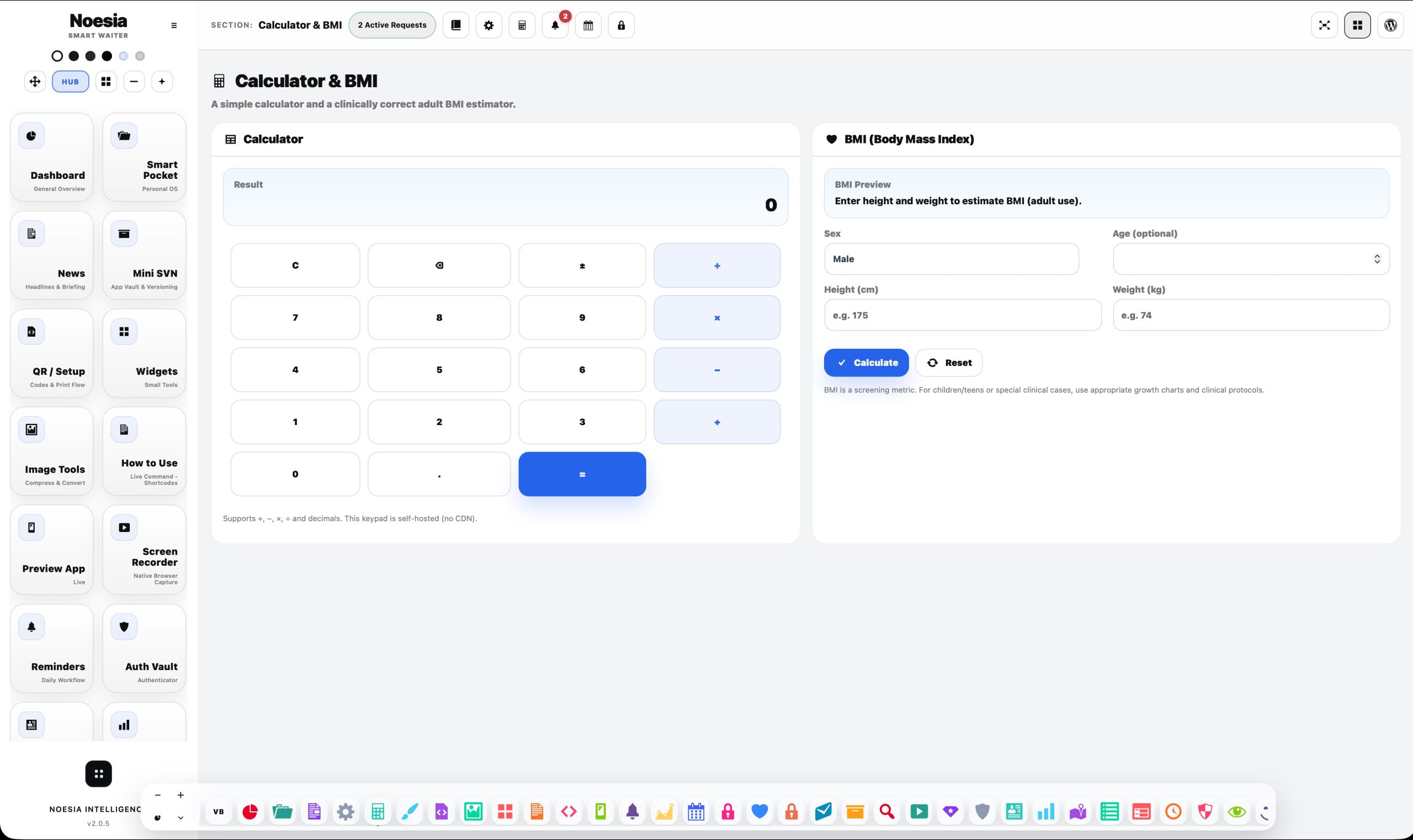
Calculator & BMI combines two fast self-hosted tools inside one isolated module: a responsive calculator keypad for everyday operational math and an adult BMI estimator with optional age and sex inputs for healthy range, BMR, and approximate body-fat guidance. It is built for immediate use, local speed, clean inputs, and zero external dependency clutter.
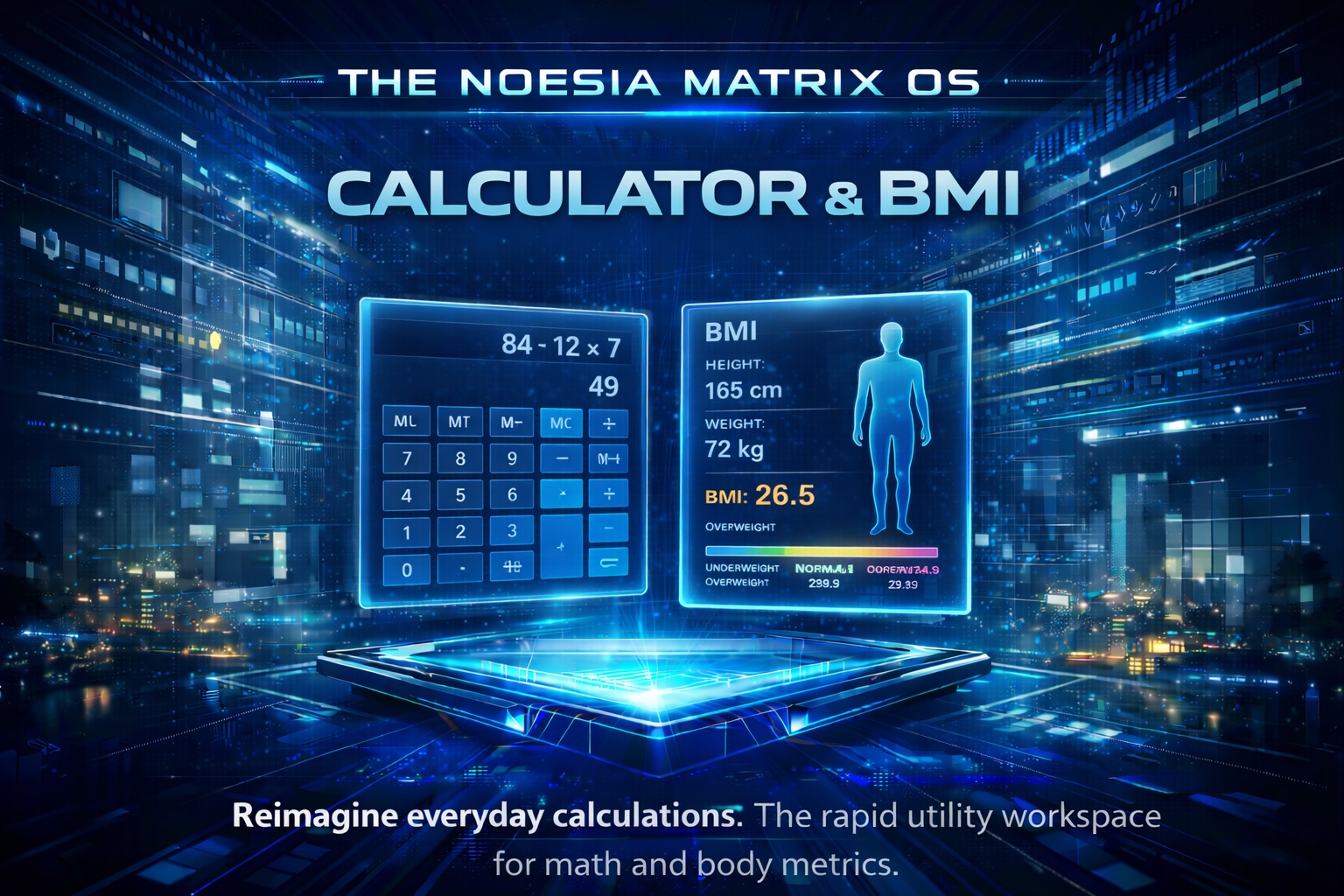
Useful when staff need a fast calculator inside the platform instead of leaving the admin and jumping to random external tools.
Useful for quick adult BMI screening, healthy range references, and approximate metabolic indicators inside a clean backend utility surface.
Useful as a self-hosted utility layer that stays fast, private, and available without bloating the rest of the platform.
Admin path: open the Noesia Smart Waiter admin shell and select Calculator & BMI from the module navigation.
Tier: this module belongs to the Free layer.
Navigation ownership: the module registers its own admin section, i18n payload, and local data service for calculator and BMI operations.
The module is designed for the admin shell, so start by confirming the user can normally access Noesia Smart Waiter sections.
Use centimetres for height and kilograms for weight so BMI guidance stays consistent across repeated use.
Use it as a quick adult screening utility, not as a replacement for specialist protocols, pediatric charts, or clinical judgment.
The point of this module is immediate local speed and controlled workflow without pushing users out to random external calculators.
Enter Calculator & BMI from the shell and decide whether you need quick math or the BMI panel.
Use the keypad buttons for numbers, decimals, sign, clear, backspace, and operators. The display updates directly inside the module.
Select sex, optionally add age, then enter height and weight. The BMI side can begin preparing a result state when inputs are valid.
Review BMI value, category, healthy range, and optional extra estimates. Reset the form when you want a clean next-use state.
The utility side contains the live display and keypad grid for direct number entry and operator control.
The BMI side shows either a notice state or the calculation output with category and healthy range once valid inputs are present.
Sex, age, height, and weight are clearly separated into structured form groups so occasional users can still work quickly.
The Calculate and Reset controls stay obvious and local to the BMI form instead of hiding behind secondary menus.
Use the keypad for totals, percentages, differences, and fast one-off calculations during admin work.
Enter height and weight for a quick BMI estimate and review the category and healthy range as a practical reference point.
When age is available, use the optional BMR and body-fat estimates as quick orientation values inside a controlled backend flow.
Clear the state and run the next person or next calculation immediately, keeping the tool useful as a repeated daily surface.
Issue: keypad presses do not update the display.
Why it happens: stale admin assets, partial page loads, or a JavaScript conflict can interrupt local bindings.
What to do: refresh the page, clear cache layers if needed, and retest with the module fully loaded in the Noesia shell.
Issue: data is entered but no result appears.
Why it happens: height or weight may be missing, zero, or invalid as numeric input.
What to do: re-enter height in cm and weight in kg with valid numbers, then calculate again.
Issue: BMI appears but the optional estimates do not.
Why it happens: age or sex data may be missing, which removes the optional estimate path.
What to do: complete the optional fields with realistic values and rerun the calculation.
Issue: you need deeper medical interpretation than the module provides.
Why it happens: this is a fast adult screening utility, not a full diagnostic environment.
What to do: use the result as a quick reference and apply the correct clinical protocol when the case requires more than screening.
Yes. Calculator & BMI belongs to the free tier.
No. It is presented as a self-hosted utility surface inside the platform.
Yes. The module framing is adult-oriented and should not replace pediatric or specialist assessment protocols.
Yes. With the optional fields available, it can also show healthy range plus approximate BMR and body-fat guidance.
Yes. The BMI panel includes a Reset action for immediate repeated use.
Because it keeps speed, privacy, consistency, and workflow control inside the same isolated admin environment.
Yes. The calculator and BMI utility zones can be used independently inside the same module view.
No. BMI can be calculated from height and weight, while some optional estimates rely on age as an extra input.
Yes. It is also valuable as a fast admin utility because the self-hosted calculator remains useful for everyday operational math.
No. It is a quick adult screening and utility tool, not a substitute for full clinical assessment.
The Noesia Matrix is the shared architecture language and module fabric behind Noesia Smart Waiter. This module is not just a static page; it sits inside an isolate-first modular system designed for shell-driven navigation, clean section ownership, extensible widget zones, and future-safe expansion.
The architecture direction is intentionally high-control: modular ownership, isolated assets, lazy-ready behavior, clean settings flow, predictable prefixes, maintainable service boundaries, and enterprise-safe discipline around structure, security, and extensibility. Noesia transcends the definition of a standard WordPress plugin, operating as a robust platform built upon enterprise-grade Service-Oriented Design.
Here is how the core engine is designed to minimize bloat, maximize stability, and keep the experience consistently fast and responsive:
Event-Driven Inversion of Control (IoC): The platform follows an IoC pattern via a decoupled Event Bus. The central core acts as a “Logic-Less Host” (Blind / DUMMY Kernel). It does not tightly bind itself to module internals; modules announce their own presence, capabilities, and state through controlled registration flows.
The Micro-Frontend Paradigm (MFE): The UI is not a giant monolithic block. Each application behaves as an independent Micro-Frontend with its own dynamic assets, specialized logic, and UI contracts.
Strict Asset Isolation & Lazy-Loading: Resource usage stays disciplined. A module’s CSS, JavaScript, and data components are loaded only when the user reaches or interacts with that specific application surface.
Decoupled Registry Pattern: The dynamic discovery layer allows applications to be added or removed quickly without rewriting core logic. If one application encounters an issue, the architecture is designed to contain that impact instead of cascading it across the platform.
Enterprise-Grade Security & Stability: The platform is reinforced with strict input sanitization, dynamic registry routing, and defensive safety gates across the stack. The data layer and the user interface remain deliberately separated for maintainability and risk control.
The Result: A scalable hospitality and clinical operating system engineered to manage mission-critical workflows securely — from intimate cafés to high-traffic venues and sensitive medical environments.
When you open a ticket, include one clean screenshot, the exact visible error text or wrong result state, short reproduction steps, and whether the problem is constant or intermittent. That reduces back-and-forth and speeds up resolution.
Open SupportEnter the application layer: Explore the full Noesia Smart Waiter ecosystem and discover how each isolated module helps serve hospitality, operations, business workflows, and the wider mission to reimagine life through smarter software.
Scroll into the Matrix: The catalog below is the live gateway to the platform. Move through Free and Pro environments, open each documentation page, and step directly into the next application surface.