noesia

Noesia Smart Waiter / Pro Module Documentation
Pro QR Style Mirror Salon + Personal Use

HAIR AI STUDIO

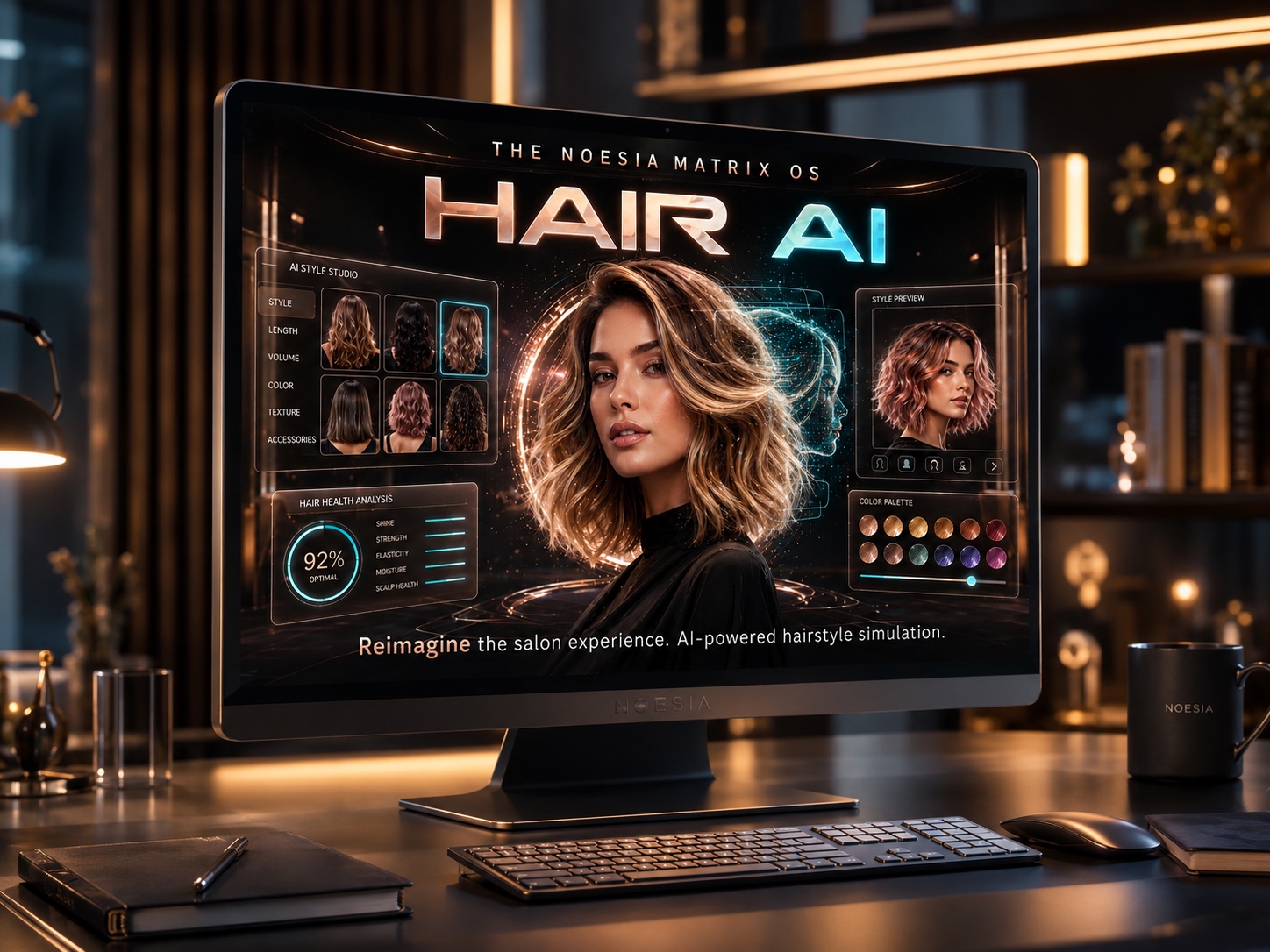
Hair AI Studio is a premium AI styling environment inside the Noesia Matrix OS for personal use, salons, barber shops, and beauty studios. One QR scan opens a mobile-ready mirror where the client can capture or upload a portrait and, in about a minute, preview how they could look with new hair lengths, hair colors, mustache options, stubble, short beard, or full beard styles. It is not just an isolated demo tool. It is a business-ready system connected with the wider Noesia ecosystem: CRM and client history, appointments, price presentation, calculator access, Smart Pocket music during the service, QR generation, and email marketing follow-up flows.

Client experience QR scan → camera/upload → AI mirror
Preview controls Hair color, length, beard, prices
Business value Premium service, upsell, more confidence
Watch the Experience

WORLD — SALON

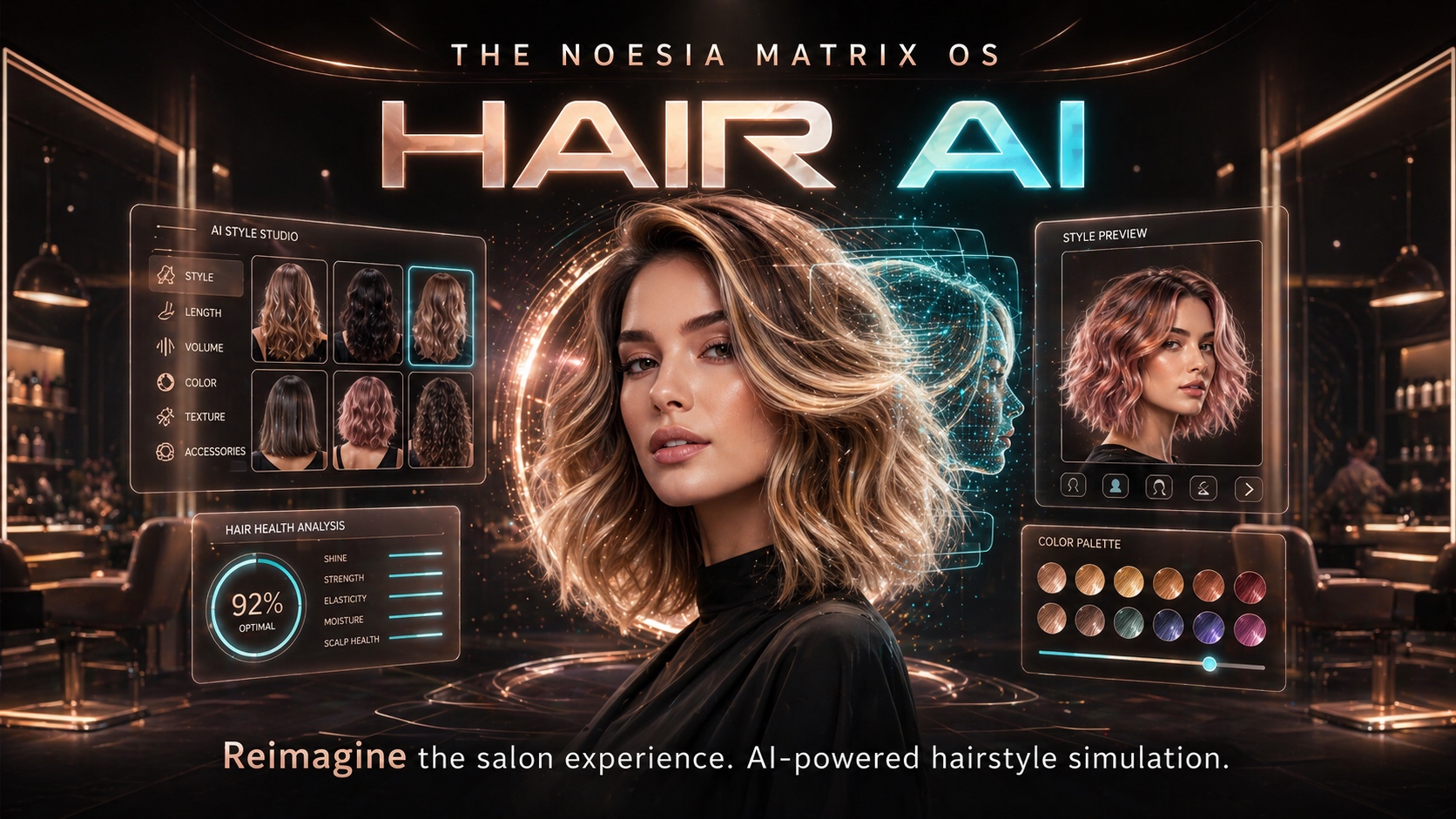
A cinematic look at how Hair AI Studio reimagines the salon experience inside the Noesia Matrix OS.

Who is it for

Built for premium beauty experiences, efficient operations, and confident customer decisions

Salons, barber shops, and beauty studios

Perfect for operators who want to elevate consultations, reduce uncertainty, show styling possibilities before the cut or color, and turn the service into a premium experience that can improve satisfaction and profits.

Independent professionals and personal users

Useful even for personal experimentation. The system can work as a personal styling OS surface, but it becomes dramatically more powerful when it connects to the wider Noesia business environment.

Teams that want one connected ecosystem

Hair AI Studio fits naturally into the broader Noesia app layer: CRM and customer history, appointments, email marketing, calculator, QR generation, and Smart Pocket entertainment all contribute to a better client journey.

Noesia Hair AI Core
AI.ENGINE: LINKED
BIO_FLOW // 98.2%
Main Features

What Hair AI Studio delivers in real salon and customer flows

Photoreal AI styling previews

  • Capture a selfie from the front camera or upload a portrait.
  • Generate realistic hair-only edits while keeping the person recognizable.
  • Offer short, medium, or long hair direction.
  • Offer hair color choices such as brunette, blonde, copper, platinum, silver, rose, or natural.
  • Extend the styling with none, stubble, mustache, short beard, or full beard options.

Premium customer experience

  • One QR scan opens the mirror instantly on the client’s phone.
  • In roughly one minute the client can see how they may look before deciding.
  • The side-by-side before / AI result flow helps reduce hesitation.
  • Confidence rises, acceptance rises, and the overall service feels premium.
  • That stronger experience can help increase conversion and average ticket value.

Admin controls and AI cost control

  • Admin can choose from 1 to 10 AI looks per scan.
  • Select default mode and public presentation text.
  • Configure model quality: Auto, Low, Medium, or High.
  • Configure output size for economical daily use or maximum portrait quality.
  • Medium quality with 1024×1024 is the recommended daily balance.

Pricing, service catalog, and history

  • Publish a clean service and price list on the public mirror.
  • The module ships with 10 editable pricing rows that can represent salon or barber packages.
  • Keep render history for the operator view.
  • Review today’s appointments directly inside the UI.
  • Work from one screen while consulting the client.

Connected Noesia ecosystem

  • CRM / client record access for customer history and continuity.
  • Appointments integration: today’s appointments appear in the Hair AI UI, while future appointments are managed through the appointments environment.
  • Email Marketing for mass follow-up, offers, and reactivation campaigns.
  • Calculator access for a quick pricing or percentage calculation in an urgent moment.
  • Smart Pocket music access to enrich the in-store experience during consultations.
  • Noesia QR Generator is available for free, making the QR flow easy to deploy.

Operational and commercial impact

  • Improves service quality by helping clients visualize results before committing.
  • Improves operator productivity with one focused consultation environment.
  • Improves client satisfaction through clarity, personalization, and speed.
  • Creates a memorable premium brand impression.
  • Acts as one of the strongest ways to modernize salon workflows inside WordPress.
How to Access It

Where Hair AI Studio lives inside Noesia

Admin path: open the Noesia Smart Waiter admin area and launch the Hair AI Studio module from the application shell.

Public experience: Hair AI Studio also exposes a public page flow through its shortcode and public URL, designed specifically for QR entry and mobile use.

QR entry: point a QR code to the public Hair AI Studio page so the client can scan and open the styling mirror instantly.

Tier: Hair AI Studio is a Pro module built to work as part of the wider Noesia Matrix ecosystem.

Setup / Configuration

Recommended setup before using Hair AI Studio in production

01

Activate the public mirror route

Create or confirm the Hair AI Studio public page URL, place the shortcode on the page, and prepare the QR code that will be scanned by the client.

02

Set the public presentation

Define the public headline, intro text, mode, and overall consultation feel so the experience is clear from the first second.

03

Choose the daily AI balance

Set the number of looks per scan from 1 to 10, then choose model quality and output size according to whether you want economical daily usage or the highest possible output quality.

04

Prepare prices and offers

Fill the 10 pricing rows with real services, labels, badges, and prices so the client immediately sees what the studio offers after the preview phase.

05

Connect the surrounding workflow

Use the ecosystem around Hair AI Studio: CRM for history, Appointments for scheduling, Email Marketing for campaigns, Calculator for quick math, and Smart Pocket music for a premium in-store mood.

How to Use It

Daily use in the Matrix OS shell

Step 1 — start the consultation

The operator opens Hair AI Studio and the client scans the QR code or is guided to the public page. The mirror can open the front camera or accept an uploaded portrait.

Step 2 — generate style options

The client or operator chooses hair color, hair length, and beard options, then requests AI looks. The system can return one or multiple variations depending on the configured look count.

Step 3 — convert the consultation into action

Review the preview, present the price list, open the appointment or CRM environment when needed, and optionally continue later with email campaigns or client history follow-up.

Screens / Interface Guide

What the Hair AI Studio interface contains

Public QR mirror

A mobile-first front surface where the client opens the camera or uploads a portrait, chooses AI direction, and receives realistic transformation previews.

Before / after comparison zone

The interface compares the original portrait with the AI result so the client can make a decision with much more confidence.

Admin control surface

The operator configures looks per scan, quality, size, public text, pricing rows, QR destination, and runtime behavior from the Hair AI Studio module.

Operational side utilities

Today’s appointments, render history, quick access to CRM, calculator, and music keep the service flow inside one controlled workspace.

Results Gallery

Transformation examples inside the Hair AI Studio experience

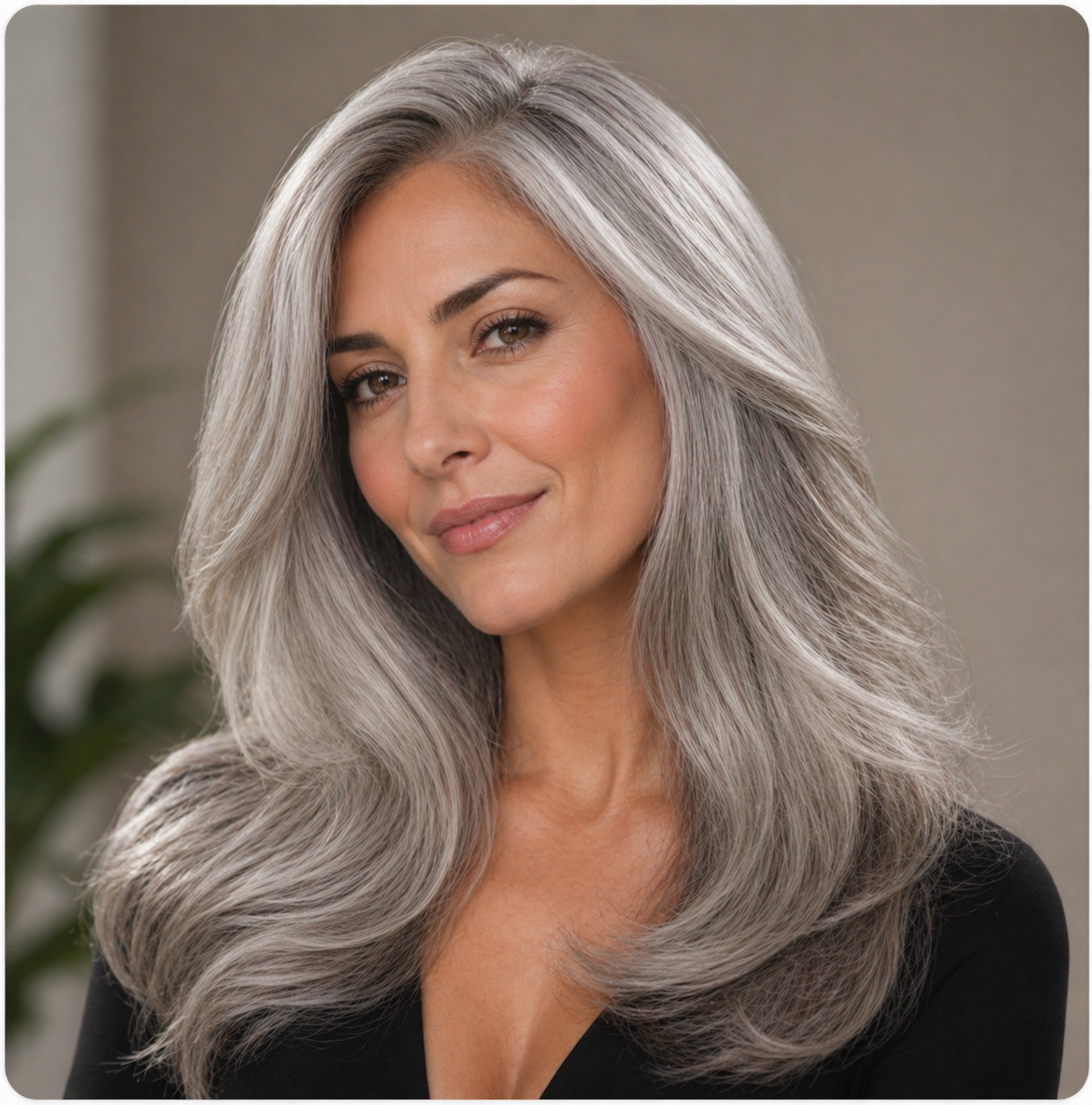
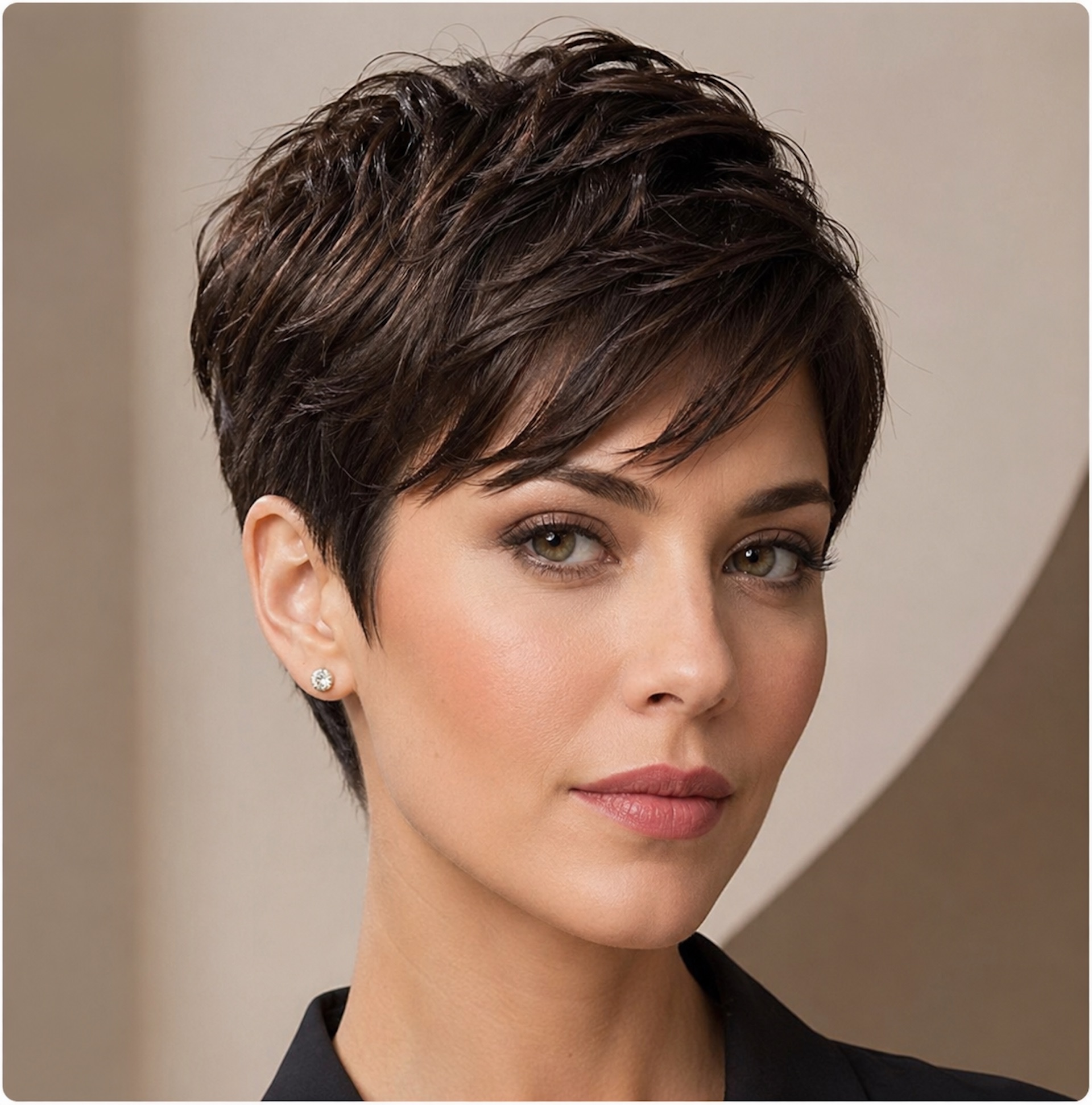
Look Example 01

Look Example 01

Sample Hair AI Studio transformation preview from the live styling surface.

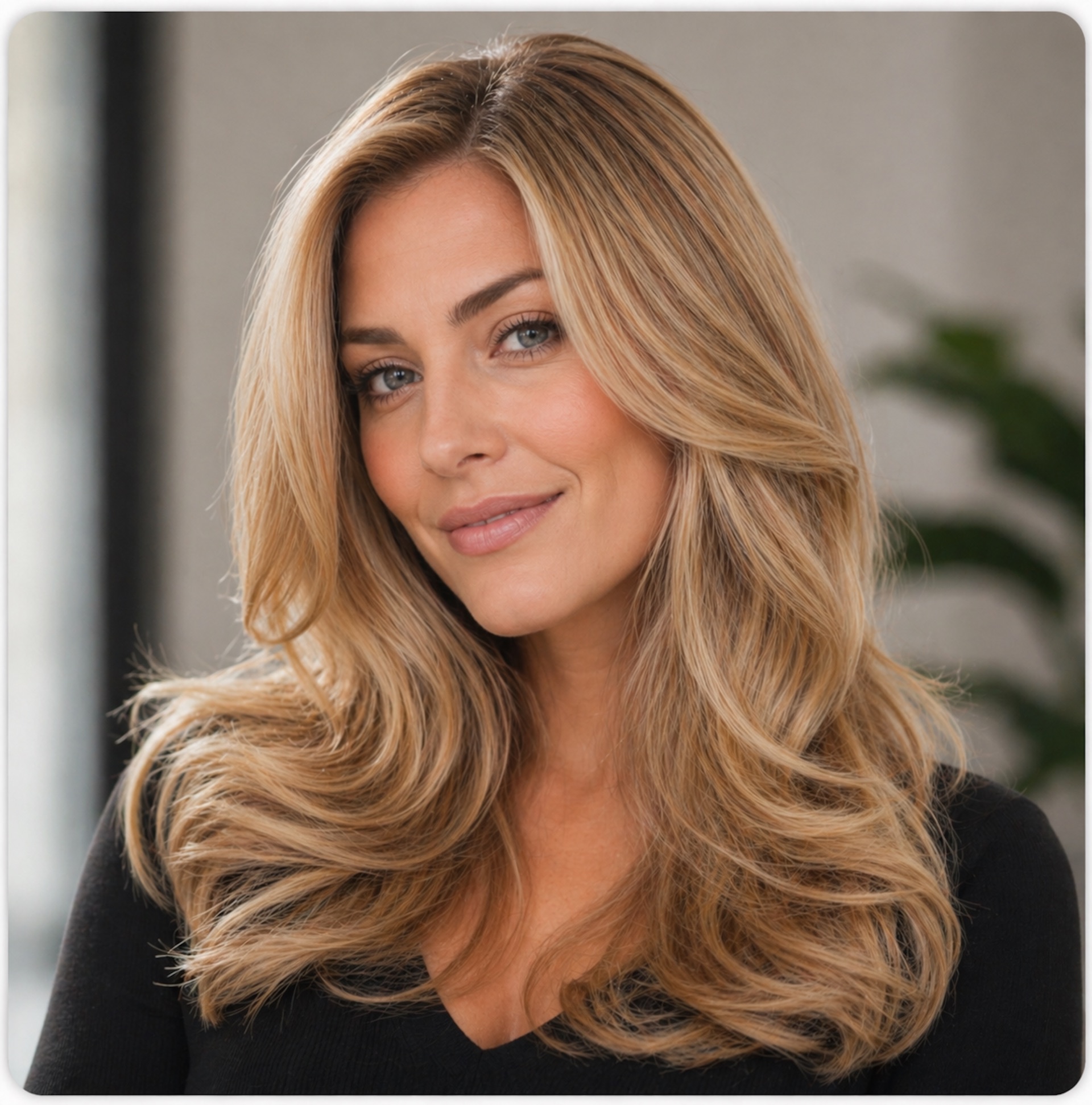
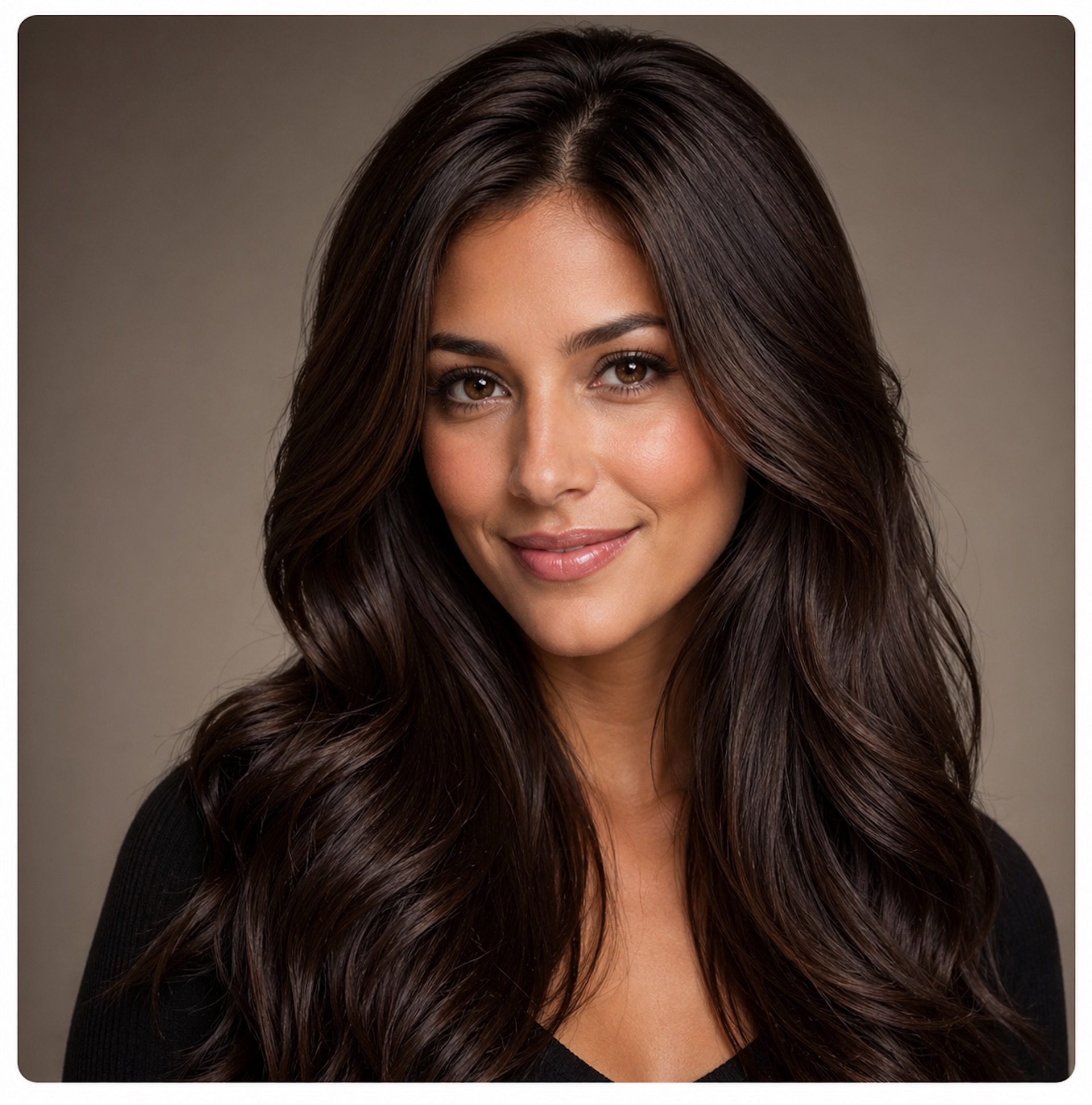
Look Example 02

Look Example 02

Sample Hair AI Studio transformation preview from the live styling surface.

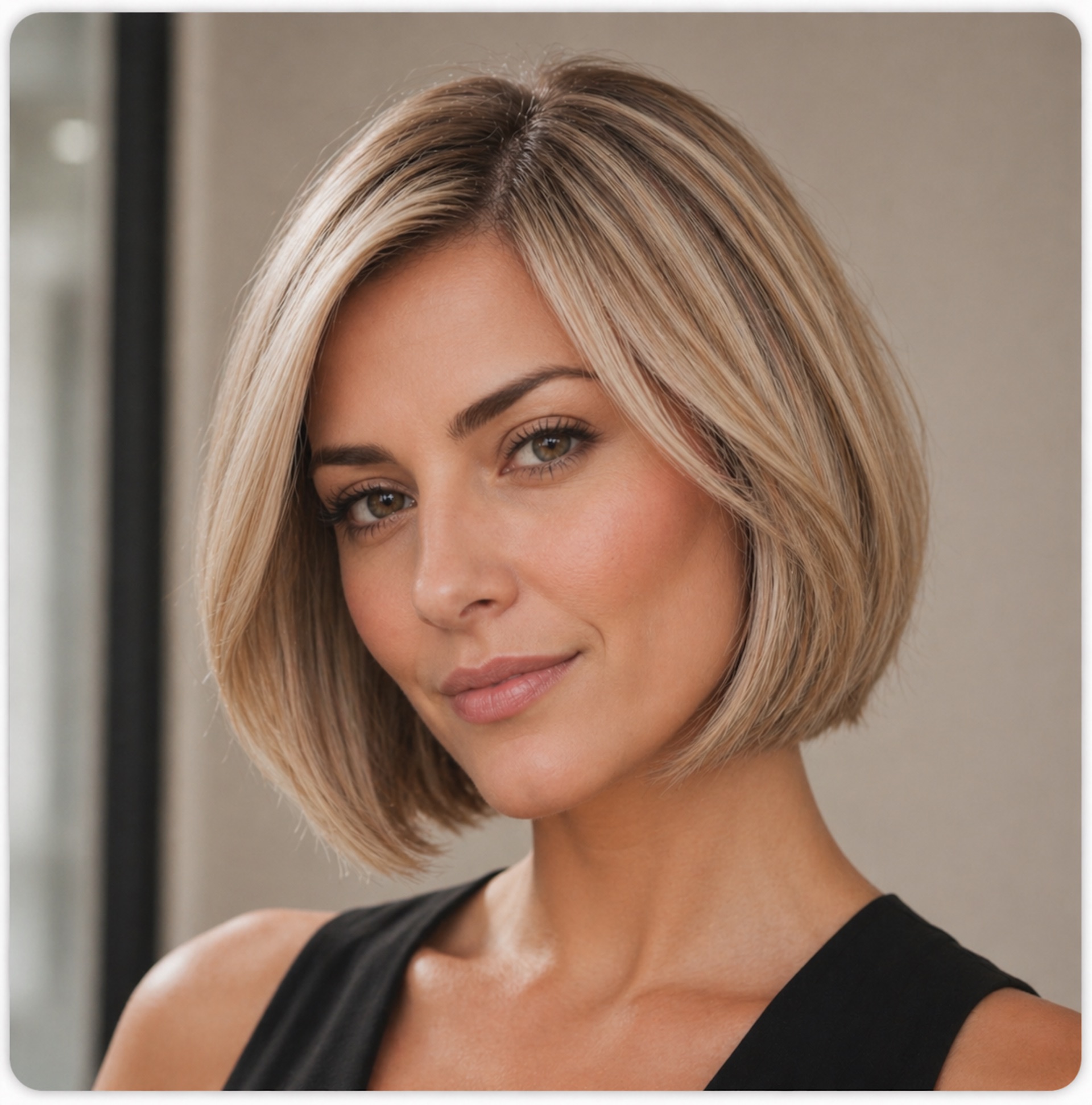
Look Example 03

Look Example 03

Sample Hair AI Studio transformation preview from the live styling surface.

Look Example 04

Look Example 04

Sample Hair AI Studio transformation preview from the live styling surface.

Look Example 05

Look Example 05

Sample Hair AI Studio transformation preview from the live styling surface.

Look Example 06

Look Example 06

Sample Hair AI Studio transformation preview from the live styling surface.

Look Example 07

Look Example 07

Sample Hair AI Studio transformation preview from the live styling surface.

Look Example 08

Look Example 08

Sample Hair AI Studio transformation preview from the live styling surface.

Common Workflows

Real examples of how teams use Hair AI Studio

Walk-in customer who is unsure about a new style

The client scans the QR code, previews multiple looks, sees a price range, and feels safer saying yes because the decision is no longer abstract.

Salon consultation that becomes an upsell moment

The operator uses multiple looks, beard combinations, or color variants to present more than one service possibility, often increasing the perceived value of the visit.

Repeat-customer continuity with history and appointments

The consultation starts from known customer history and current schedule context, making the service feel more professional and personalized.

Campaign or reactivation flow

After the in-store experience, the business can later follow up through the wider Noesia email marketing layer with offers, reminders, or premium package promotions.

Troubleshooting

Fast checks when Hair AI Studio does not behave as expected

The camera does not open on the client device

Check: use HTTPS, confirm browser camera permissions, and retry from a fresh mobile tab.

What to do: if camera access is blocked, use the upload flow instead and continue with a portrait photo.

AI results are not being generated

Check: confirm the server-side API key exists, the quality and size settings are valid, and the source image is a usable portrait.

What to do: start with medium quality and a smaller look count, then test again.

The QR code opens the wrong page or an empty page

Check: confirm the public URL is correct and the Hair AI shortcode has been placed on that page.

What to do: regenerate the QR code after correcting the final destination.

Prices or service names do not match the studio offer

Check: review the 10 pricing rows in admin and confirm the service names, prices, and active flags are correct.

What to do: update the pricing table so the public mirror shows the exact current offer.

The experience feels too expensive or too slow

Check: the most important cost levers are look count, quality, and size.

What to do: reduce the number of looks, use Medium or Low where appropriate, and reserve higher settings for premium consultations.

FAQ

Common Hair AI Studio questions

Is Hair AI Studio only for salons?

No. It can also be used for personal experimentation, but it becomes far more powerful when used in a business environment with the rest of the Noesia ecosystem.

Can the client see beard and mustache options too?

Yes. The interface can present none, stubble, mustache, short beard, and full beard directions in addition to hair changes.

How many results can the admin show per scan?

The admin can configure the experience from 1 to 10 AI looks per scan depending on cost strategy and consultation depth.

Can Hair AI Studio help increase revenue?

Yes. The customer sees possibilities before committing, which can improve confidence, upsell acceptance, premium perception, and overall satisfaction.

Does it connect with other Noesia applications?

Yes. It can sit beside CRM, appointments, email marketing, calculator, Smart Pocket music, and the free QR Generator in one connected Noesia operating environment.

Can I use economical settings for daily use and higher settings for premium sessions?

Yes. That is one of the intended workflows. Use balanced defaults for everyday operation and switch to higher quality when a premium or marketing-grade result is needed.

The Noesia Matrix

⚙️ THE NOESIA MATRIX: KERNEL FABRIC ARCHITECTURE

The Noesia Matrix is the shared architecture language and module fabric behind Noesia Smart Waiter. This module is not just a static page; it sits inside an isolate-first modular system designed for shell-driven navigation, clean section ownership, extensible widget zones, and future-safe expansion.

The architecture direction is intentionally high-control: modular ownership, isolated assets, lazy-ready behavior, clean settings flow, predictable prefixes, maintainable service boundaries, and enterprise-safe discipline around structure, security, and extensibility. Noesia transcends the definition of a standard WordPress plugin, operating as a robust platform built upon enterprise-grade Service-Oriented Design.

Here is how the core engine is designed to minimize bloat, maximize stability, and keep the experience consistently fast and responsive:

Event-Driven Inversion of Control (IoC): The platform follows an IoC pattern via a decoupled Event Bus. The central core acts as a “Logic-Less Host” (Blind / DUMMY Kernel). It does not tightly bind itself to module internals; modules announce their own presence, capabilities, and state through controlled registration flows.

The Micro-Frontend Paradigm (MFE): The UI is not a giant monolithic block. Each application behaves as an independent Micro-Frontend with its own dynamic assets, specialized logic, and UI contracts.

Strict Asset Isolation & Lazy-Loading: Resource usage stays disciplined. A module’s CSS, JavaScript, and data components are loaded only when the user reaches or interacts with that specific application surface.

Decoupled Registry Pattern: The dynamic discovery layer allows applications to be added or removed quickly without rewriting core logic. If one application encounters an issue, the architecture is designed to contain that impact instead of cascading it across the platform.

Enterprise-Grade Security & Stability: The platform is reinforced with strict input sanitization, dynamic registry routing, and defensive safety gates across the stack. The data layer and the user interface remain deliberately separated for maintainability and risk control.

The Result: A scalable hospitality and clinical operating system engineered to manage mission-critical workflows securely — from intimate cafés to high-traffic venues and sensitive medical environments.

Support

Support, escalation, and what to send first

Check first

  • Confirm the plugin version.
  • Confirm the module name is Hair AI Studio.
  • Confirm whether the issue is with the public QR surface, AI generation, pricing panel, appointment visibility, or render history.
  • Review the troubleshooting section above.

Collect before opening a ticket

  • One clear screenshot of the Hair AI Studio admin settings or public mirror page.
  • The configured looks per scan, selected quality, and selected output size.
  • The exact public page URL or QR destination involved.
  • The exact text of any visible API, generation, or upload error.
  • Short steps to reproduce the issue.

Open support only after the fast checks above

When you open a ticket, include the plugin version, one clean screenshot, the public or admin surface involved, the active cost / quality settings, the visible error text, and short reproduction steps. That reduces back-and-forth and speeds up resolution.

Open Support
Explore Modules

Explore all modules of Noesia Smart Waiter

Enter the application layer: Explore the full Noesia Smart Waiter ecosystem and discover how each isolated module helps serve hospitality, operations, business workflows, and the wider mission to reimagine life through smarter software.

Scroll into the Matrix: The catalog below is the live gateway to the platform. Move through Free and Pro environments, open each documentation page, and step directly into the next application surface.

The Noesia Matrix · Applications Layer

Explore TheMatrix Ecosystem

The Micro-Frontend Catalog: Every application listed below operates as its own isolated environment. Search, filter, and discover the tools that expand daily operations without turning the platform into a bloated monolith.

Seamless Navigation: The Free layer covers essential operational foundations, while the Pro environments unlock advanced, enterprise-grade workflows. Select any module to open its dedicated documentation page and setup path.

Total Modules 34 Current mapped layer from the uploaded snapshot, with additional modules already planned for the next release window.
Free Layer 17 Green-tag modules ready for the open layer of the platform.
Pro Layer 17 Purple-tag modules mapped to the premium operational surface.
No modules matched the current filter or search query. Clear the search or switch filters to reveal more applications.

Built for real operations: every module in the Matrix is designed around self-hosted control, isolated loading, fast response surfaces, security-first structure, and a support-ready documentation flow built to scale with modern businesses.

Documentation Hub