Back-office and administration teams
Useful for offices that receive documents, screenshots, cards, snippets, and scanned material that must be read quickly and converted into practical text or structured review output.

Noesia Vision is the document and visual intelligence workspace of the platform. It is built for OCR-style extraction, business card mode, language-aware scanning, and fast scan-ready utility workflows that help operators turn visual input into usable information without leaving the Noesia environment.
Important positioning: Noesia Vision is built to accelerate structured visual reading and scan-oriented data handling. OCR-style output should still be reviewed by a human before being treated as legally final, operationally critical, or archive-perfect data.
Useful for offices that receive documents, screenshots, cards, snippets, and scanned material that must be read quickly and converted into practical text or structured review output.
Useful when teams need business card handling, visual detail capture, fast reading of contact material, and cleaner transition from paper or image input into system-ready information.
Useful for users who want visual extraction and language-aware reading inside one controlled module without depending on scattered third-party tools for every small capture task.
Turn photos, menus, receipts, documents and screenshots into clean, usable text inside Noesia Matrix OS X_Code.
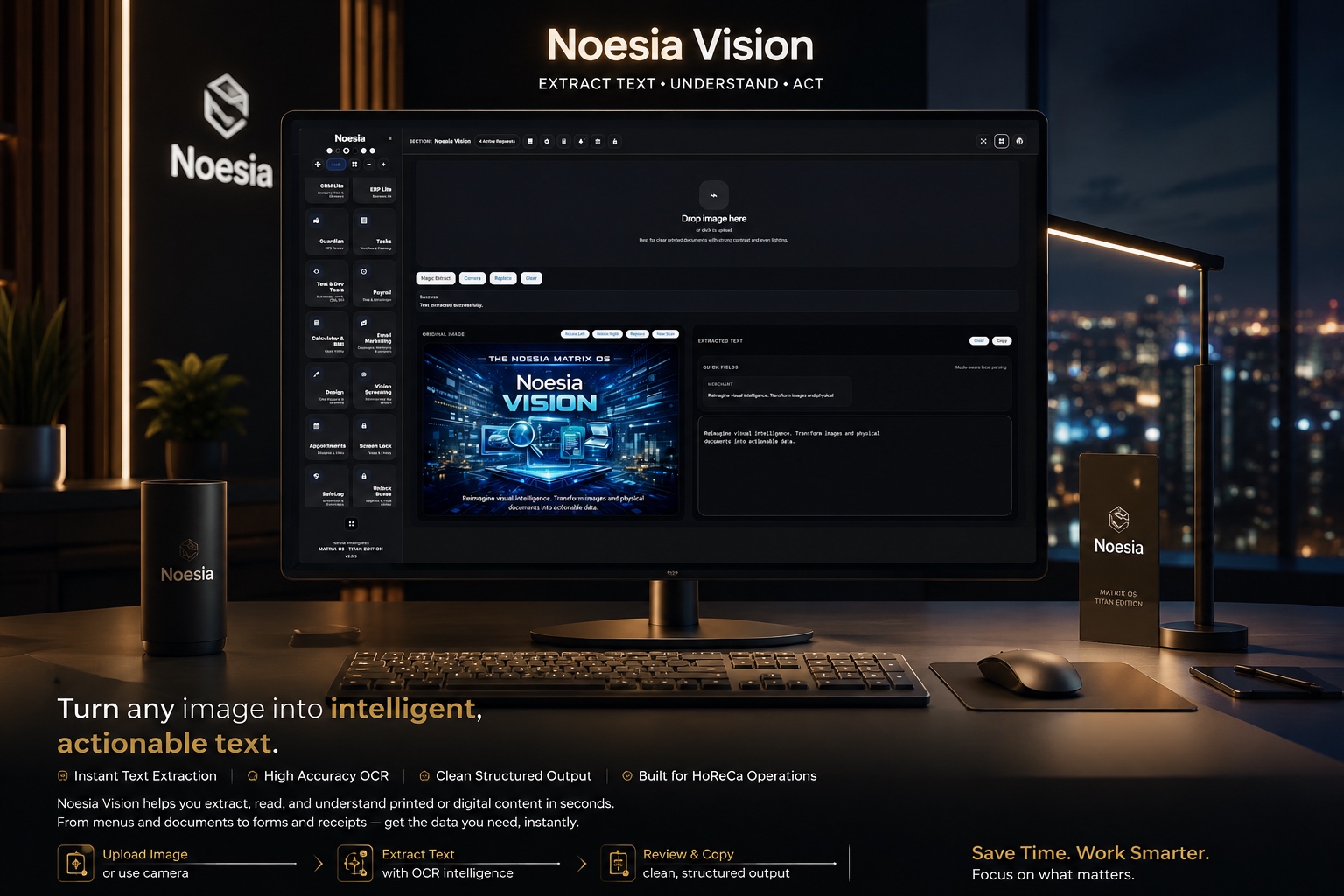
Upload an image or use the camera. Extract text, review it, copy it, and use it instantly. Move from image to text without wasting time.
Faster handling of menus, printed information, supplier documents, notes and guest-facing material. Less manual typing, cleaner information.
Not just another screen. It lives inside a modular ecosystem where HoReCa tools, live waiter requests, and productivity layers work together.
Admin path: open the Noesia Smart Waiter admin area and select Noesia Vision from the plugin shell navigation.
Tier: this module belongs to the Pro layer.
Positioning: Noesia Vision is the visual extraction and scan-utility module of the Utilities layer, built for OCR-style reading, card intake, and structured visual interpretation workflows.
Start by deciding whether your main use case is card capture, OCR-style reading, multilingual scan intake, or general document snippet extraction.
The module becomes more accurate and more valuable when scans are readable, straight, and not destroyed by poor lighting or aggressive compression.
When the material is multilingual or non-default, align the language pack logic before assuming the reading output is wrong.
Use the module to accelerate reading and intake, but always keep a human check when the output affects archives, accounting, legal material, or customer-critical data.
Start by deciding whether the job is closer to document reading, card capture, or general visual extraction.
Use a clear image, scan, or card photo so the module has a clean visual base for reading and interpretation.
When needed, align the language pack or use the card-oriented flow so the output is shaped by the correct visual context.
Check the text carefully, especially where names, phone numbers, addresses, codes, or key operational details matter.
Move the reviewed output into your business process, follow-up flow, or structured system entry instead of leaving the information trapped inside an image.
This matters because every result begins with the quality and clarity of the visual material you load into the module.
This is the core utility layer where visual content is pushed toward readable, business-usable text output.
This matters when the goal is not generic OCR only, but contact-oriented capture that fits networking and intake workflows.
This area matters because multilingual material often requires the right interpretation context before the extraction becomes trustworthy.
This is where users notice blur, skew, shadows, crop issues, and other problems before trusting the output too quickly.
This matters because the module is strongest when it accelerates clean review and follow-up rather than pretending every visual extraction is perfect the first time.
Capture a card, read the contact details through the visual extraction flow, and move the cleaned information into the next relationship or follow-up step.
Use the module when key text exists only inside an image, screenshot, photo, or small scan fragment and must be turned into usable text quickly.
Apply the right language-aware behavior when cards, signs, or scan material are not always produced in the same language as the operator.
Use Noesia Vision as the bridge between incoming visual material and cleaner back-office entry rather than leaving staff to retype everything manually.
Review the visual output first, verify the important details, and only then move the information into archive, CRM-style follow-up, or another structured process.
Issue: the result is partial, messy, or less readable than expected.
Why it happens: the scan may be blurred, dark, skewed, cropped badly, or too low-quality for confident visual reading.
What to do: retake or reload a clearer source image first, then try again before assuming the module itself is failing.
Issue: the output feels off when reading multilingual material.
Why it happens: the extraction context may not match the real language of the source.
What to do: align the language pack or workflow context before judging the final output quality.
Issue: names, titles, numbers, or addresses are not perfectly structured.
Why it happens: card layouts vary heavily, and stylized typography or poor photos can reduce extraction precision.
What to do: review the fields manually and treat the module as an accelerator, not as a blind replacement for human verification.
Issue: the image looks clean, yet the final text still needs adjustment.
Why it happens: OCR-style extraction is strong, but visual interpretation can still struggle with layout complexity, logos, or non-standard spacing.
What to do: review the result and correct the important details before moving it into a critical workflow.
Issue: spacing or layout feels wrong after placing the documentation snippet into a page builder environment.
Why it happens: external CSS is overriding the namespaced Matrix surface.
What to do: keep the documentation block self-contained and avoid site-wide generic selectors that collide with the module wrapper.
Yes. Noesia Vision belongs to the Pro layer.
It is built as a document and visual intelligence utility for OCR-style extraction, business card mode, language packs, and scan-ready workflows.
No. It is also useful for cards, snippets, screenshots, fragments, and practical visual intake tasks.
Yes. Business card mode is one of the clearest module identities inside Noesia Vision.
Yes. Language packs are part of the module positioning and matter for scan-ready multilingual workflows.
No. Human review is still important, especially for critical business, legal, accounting, or archive-sensitive data.
Yes. That is one of the most practical reasons this module exists.
Yes. One of its strongest values is reducing manual re-entry friction when important information first arrives as an image.
No. It accelerates reading and intake, but it does not replace operator judgment or verification.
Because it acts as a high-practical-value business tool that solves recurring visual reading tasks inside the wider platform.
The Noesia Matrix is the shared architecture language and module fabric behind Noesia Smart Waiter. This module is not just a static page; it sits inside an isolate-first modular system designed for shell-driven navigation, clean section ownership, extensible widget zones, and future-safe expansion.
The architecture direction is intentionally high-control: modular ownership, isolated assets, lazy-ready behavior, clean settings flow, predictable prefixes, maintainable service boundaries, and enterprise-safe discipline around structure, security, and extensibility. Noesia transcends the definition of a standard WordPress plugin, operating as a robust platform built upon enterprise-grade Service-Oriented Design.
Here is how the core engine is designed to minimize bloat, maximize stability, and keep the experience consistently fast and responsive:
Event-Driven Inversion of Control (IoC): The platform follows an IoC pattern via a decoupled Event Bus. The central core acts as a “Logic-Less Host” (Blind / DUMMY Kernel). It does not tightly bind itself to module internals; modules announce their own presence, capabilities, and state through controlled registration flows.
The Micro-Frontend Paradigm (MFE): The UI is not a giant monolithic block. Each application behaves as an independent Micro-Frontend with its own dynamic assets, specialized logic, and UI contracts.
Strict Asset Isolation & Lazy-Loading: Resource usage stays disciplined. A module’s CSS, JavaScript, and data components are loaded only when the user reaches or interacts with that specific application surface.
Decoupled Registry Pattern: The dynamic discovery layer allows applications to be added or removed quickly without rewriting core logic. If one application encounters an issue, the architecture is designed to contain that impact instead of cascading it across the platform.
Enterprise-Grade Security & Stability: The platform is reinforced with strict input sanitization, dynamic registry routing, and defensive safety gates across the stack. The data layer and the user interface remain deliberately separated for maintainability and risk control.
The Result: A scalable hospitality and clinical operating system engineered to manage mission-critical workflows securely — from intimate cafés to high-traffic venues and sensitive medical environments.
When you open a ticket, include one clean screenshot, the exact visible output problem, short reproduction steps, and whether the issue is tied to image quality, card mode, or language context. That reduces back-and-forth and speeds up resolution.
Open SupportEnter the application layer: Explore the full Noesia Smart Waiter ecosystem and discover how each isolated module helps serve hospitality, operations, business workflows, and the wider mission to reimagine life through smarter software.
Scroll into the Matrix: The catalog below is the live gateway to the platform. Move through Free and Pro environments, open each documentation page, and step directly into the next application surface.
