Hospitality & shift-based businesses
Useful for organizations that need one place to manage employees, scheduled hours, actual punches, breaks, exception tracking, and export-ready monthly records.

Enterprise-ready Payroll & Time Attendance framework for WordPress. Built as a global framework and localized through country bridge adapters, Payroll acts as the operational core for employee records, weekly planning, actual punches, break tracking, PIN / QR access, queue continuity, and immutable monthly exports. The module is intentionally positioned as a high-control foundation: it includes the structural logic and integration hooks, while local legal compliance and country-specific deployment must be validated and configured by a responsible developer or agency before production use.
Compliance Notice: Noesia Smart Waiter provides Payroll as an enterprise-ready structural framework. Country-specific legal compliance depends on local labor law, collective agreements, payroll practice, and state integrations. Customers should use a qualified local developer, integrator, or advisor to validate regional rules and implement the appropriate bridge adapter and company-specific mappings before production use.
Useful for organizations that need one place to manage employees, scheduled hours, actual punches, breaks, exception tracking, and export-ready monthly records.
Useful when leadership needs clarity over who worked, where deviations happened, what is pending sync, and what has been finalized into immutable month archives.
Perfect for custom B2B deployments and white-label local payroll projects. The module provides the structural base and developer bridge hooks to map local state rules responsibly.
Admin path: open the Noesia Smart Waiter admin shell and select Payroll from the Pro module navigation.
Tier: this module belongs to the Pro layer.
Public path: the module also includes a secure Staff Portal workflow where workers can use PIN or QR to authenticate, punch, break, and review attendance history.
Important positioning: the module already contains the framework, queue, bridge contracts, and country slots, but correct production use still depends on the necessary implementation and validation by the developer responsible for the target company and country.
Set queue enablement, retry limits, kiosk auto logout, cooldown rules, default bridge profile, default country code, and kiosk labeling before live staff start punching.
Add full names, employee codes, roles, departments, rates, country assignment, bridge profile, weekly schedule template, and activation state so the staff base is clean from day one.
Choose whether the company will use the Global structural profile or a country-specific bridge slot such as Greece / Ergani, United States / FLSA, United Kingdom / HMRC, or EU local bridge mode, then let the responsible developer connect the real local logic.
Before go-live, test clock in / out, break handling, month lock, archive payload, queue retry behavior, and any state-facing bridge adapter so the company does not mistake a framework installation for a completed legal deployment.
Add the worker’s profile, rates, bridge profile, country code, and default weekly template so the planner and portal have a clean starting point.
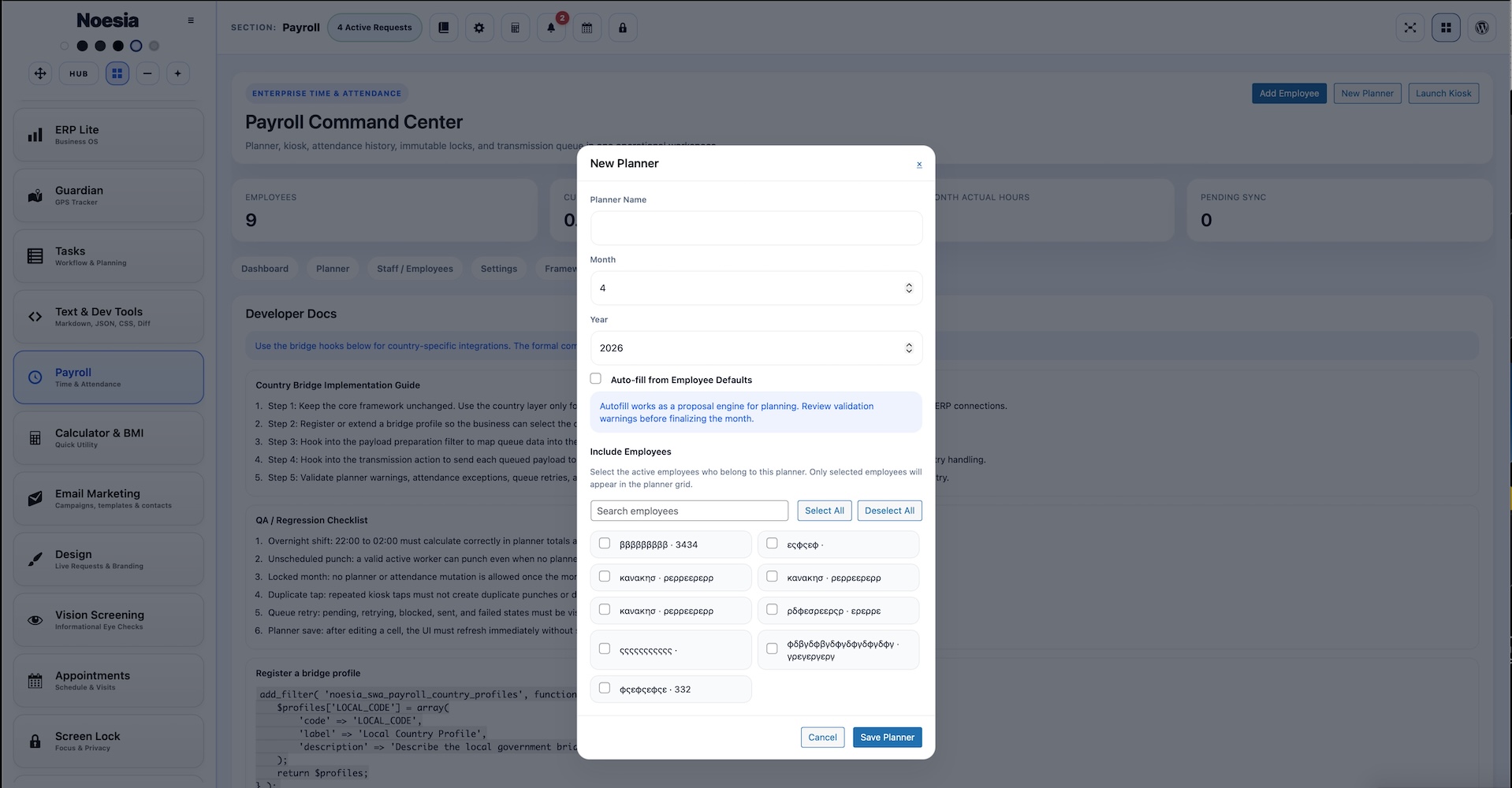
Create a planner, choose month or week focus, assign employees, and prepare the expected schedule before actual attendance begins to accumulate.
Employees authenticate with PIN or QR badge, then clock in, clock out, start breaks, end breaks, and review their attendance history without needing a heavy external system for everyday actions.
Managers compare planned hours to actual records, inspect deviations, confirm exceptions, and make sure unscheduled punches or break patterns are reviewed before finalization.
Once the period is confirmed, lock the month, generate the immutable archive, and use the bridge / queue layer to send the final payload to the accountant, ERP connector, or local state-facing implementation.
The opening screen surfaces employees, scheduled hours, actual hours, queue status, sync state, and integration health so payroll operations can be understood quickly.
This is the schedule control area for planner choice, view mode, focus date, refresh, clear range, worker management, delete planner, and month lock actions.
The employee list is where companies review staff availability, bridge assignments, and profile health before assuming the planner can run reliably.
This is where role, department, employee code, rates, default weekly schedule, country code, bridge profile, active status, PIN, and QR-ready identity are shaped for each worker.
This tab controls queue behavior, kiosk timing, default bridge profile, country defaults, and the main company-wide operational rules for the module.
This area explains the deliberate separation between the global structural core and the country-specific legal or ERP adapters that must be completed locally.
Developers use this area to understand bridge contracts, queue payloads, dispatch points, and country profile registration paths.
The public-facing worker surface supports secure PIN / QR access, attendance actions, and monthly history checks in a controlled self-hosted flow.
Employees punch in from kiosk or portal, start and end breaks, and keep a clean event history without depending on paper sign-in habits.
Managers schedule the month in advance, then compare the reality of attendance against the planned structure to spot deviations and exceptions early.
Before closing the month, the team reviews history, actual hours, breaks, unscheduled punches, and queue state so the final archive is cleaner and more trustworthy.
The responsible developer maps the framework to a company’s country-specific logic, ERP, or state interface using the provided bridge hooks and transmission contract.
Issue: the module is installed, but the company assumes country compliance is now complete by default.
Why it happens: the core ships with the framework, queue, archive logic, and bridge slots, but not with every local law, tax rule, or certified transmission adapter already finalized for every jurisdiction.
What to do: make sure a responsible local developer or agency configures and validates the country-specific logic, ERP mapping, and state-facing bridge before live payroll reliance.
Issue: the planner opens, but the scheduling flow is not fully usable.
Why it happens: worker setup, planner creation, or assignment management may still be incomplete.
What to do: confirm employees are active, create the planner explicitly, assign workers, and verify the selected planner and view mode are correct.
Issue: the worker reaches the portal but cannot complete an attendance action.
Why it happens: PIN / QR authentication may be wrong, portal state may have expired, or the worker profile may be inactive or misconfigured.
What to do: recheck employee status, confirm QR token or PIN, validate the worker record, and test again with a fresh portal session.
Issue: sync payloads remain in queue and do not disappear.
Why it happens: the queue system is working, but the real dispatch adapter or local country bridge is not connected or is failing.
What to do: inspect retry limits, dispatch actions, and the responsible bridge implementation instead of blaming the planner or attendance layer first.
Issue: the company is unsure whether a month can safely be finalized.
Why it happens: the team may not yet have reviewed actual punches, breaks, exceptions, or queue state before trying to archive.
What to do: finish operational review first, then lock only when the company is ready to preserve the month as immutable output.
Issue: selecting Greece, US, GB, or EU is treated as if the bridge is already fully active.
Why it happens: those profiles are structural bridge slots, not magical replacements for the real local adapter.
What to do: let the responsible developer implement the country-specific payload mapping and dispatch layer using the provided hooks.
Issue: time records exist, but company-specific payroll output is still incomplete.
Why it happens: attendance capture and payroll calculation are related, but country or company formula logic still needs to be connected.
What to do: treat the framework as the structural core and complete local formulas, declarations, and legal mapping through the developer adaptation layer.
Issue: PIN works, but QR usage depends on the device environment.
Why it happens: browser camera permissions, hardware conditions, or scanner availability can differ per device.
What to do: keep PIN access available as fallback, verify camera permissions, and test the actual devices used in the company’s environment.
Yes. Payroll belongs to the Pro layer.
Yes, as a framework. It already includes structural country bridge slots and developer hook points, but each country still needs responsible local implementation.
No. The module provides the enterprise-ready core, but the final legal and technical adaptation still belongs to the responsible developer or agency for the target country and company.
Global, Greece / Ergani, United States / FLSA, United Kingdom / HMRC, and a generic EU bridge slot.
Yes. The module supports both QR badge and PIN-based attendance access.
Yes. Staff can authenticate, punch, break, and review attendance history from the secure portal flow.
Yes. Hourly and overtime rates are part of the employee profile layer.
Yes. A default weekly schedule template exists for planning convenience.
Yes. It supports break tracking, event history, deviations, and unscheduled punch review.
Yes. Lock Month & Export is part of the immutable archive workflow.
Yes. The queue model is designed to retain and retry transmission payloads rather than simply losing them.
Yes. The module exposes country profile registration, queue item filtering, payload preparation, bridge contract filtering, and dispatch hook points for exactly that purpose.
The Noesia Matrix is the shared architecture language and module fabric behind Noesia Smart Waiter. This module is not just a static page; it sits inside an isolate-first modular system designed for shell-driven navigation, clean section ownership, extensible widget zones, and future-safe expansion.
The architecture direction is intentionally high-control: modular ownership, isolated assets, lazy-ready behavior, clean settings flow, predictable prefixes, maintainable service boundaries, and enterprise-safe discipline around structure, security, and extensibility. Noesia transcends the definition of a standard WordPress plugin, operating as a robust platform built upon enterprise-grade Service-Oriented Design.
Here is how the core engine is designed to minimize bloat, maximize stability, and keep the experience consistently fast and responsive:
Event-Driven Inversion of Control (IoC): The platform follows an IoC pattern via a decoupled Event Bus. The central core acts as a “Logic-Less Host” (Blind / DUMMY Kernel). It does not tightly bind itself to module internals; modules announce their own presence, capabilities, and state through controlled registration flows.
The Micro-Frontend Paradigm (MFE): The UI is not a giant monolithic block. Each application behaves as an independent Micro-Frontend with its own dynamic assets, specialized logic, and UI contracts.
Strict Asset Isolation & Lazy-Loading: Resource usage stays disciplined. A module’s CSS, JavaScript, and data components are loaded only when the user reaches or interacts with that specific application surface.
Decoupled Registry Pattern: The dynamic discovery layer allows applications to be added or removed quickly without rewriting core logic. If one application encounters an issue, the architecture is designed to contain that impact instead of cascading it across the platform.
Enterprise-Grade Security & Stability: The platform is reinforced with strict input sanitization, dynamic registry routing, and defensive safety gates across the stack. The data layer and the user interface remain deliberately separated for maintainability and risk control.
The Result: A scalable hospitality and clinical operating system engineered to manage mission-critical workflows securely — from intimate cafés to high-traffic venues and sensitive medical environments.
When you open a ticket, include one clean screenshot, the exact visible error text or wrong result state, short reproduction steps, and whether the issue is structural, company-specific, or country-adaptation-specific. That reduces back-and-forth and speeds up resolution.
Open SupportEnter the application layer: Explore the full Noesia Smart Waiter ecosystem and discover how each isolated module helps serve hospitality, operations, business workflows, and the wider mission to reimagine life through smarter software.
Scroll into the Matrix: The catalog below is the live gateway to the platform. Move through Free and Pro environments, open each documentation page, and step directly into the next application surface.
