Owners and commercial operators
Useful for keeping customer history understandable, identifying important accounts quickly, and seeing who needs follow-up, not just who exists in a database.

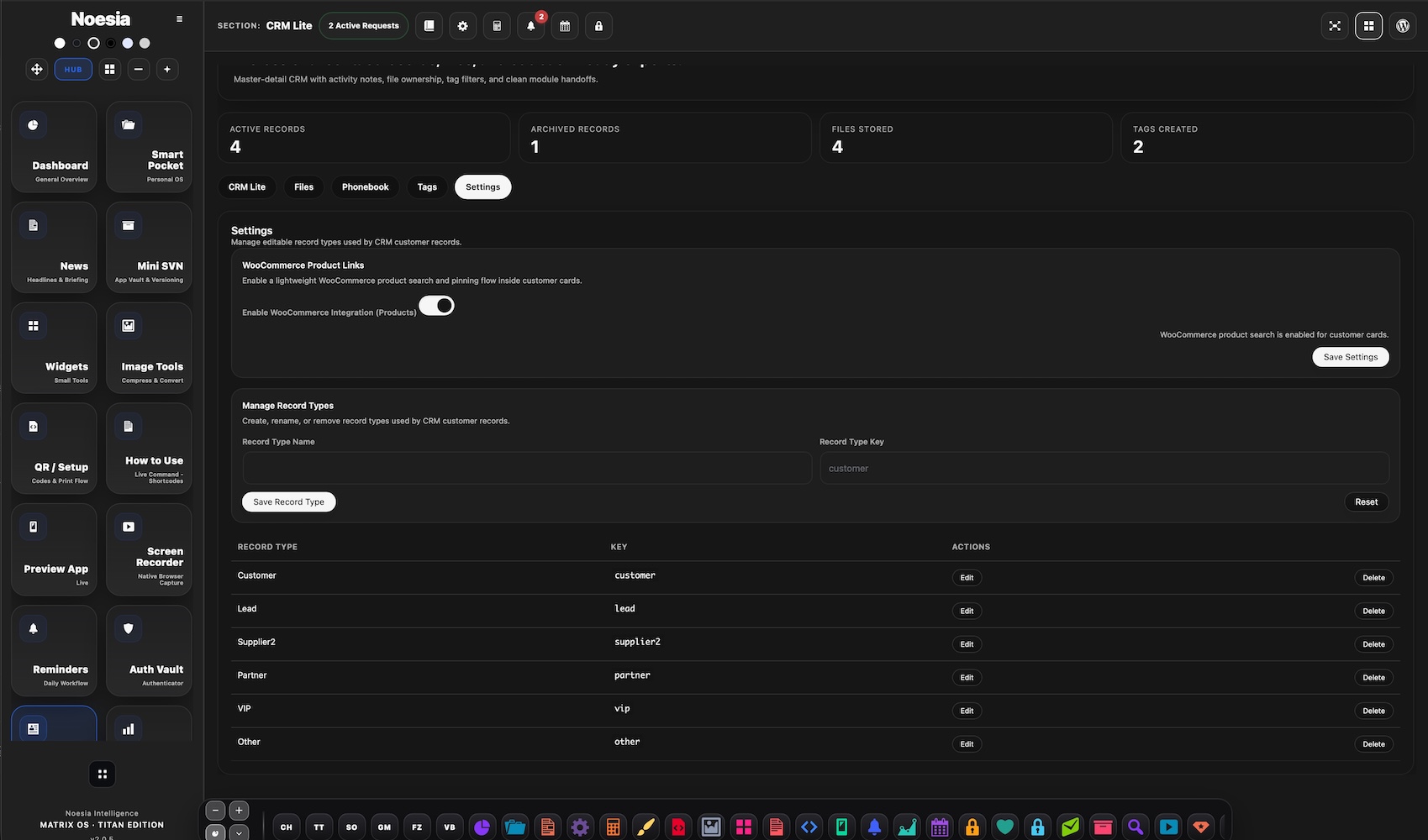
CRM Lite is the practical relationship and customer-record layer of Noesia Smart Waiter. It is designed to stay fast, usable, and operationally clear: one place for customer profiles, statuses, tags, notes, follow-up context, and attachments, with direct continuity into ERP Lite when a relationship needs to become a commercial workflow. The philosophy is deliberate: useful structure without burying the user under countless parameter panels, excessive customization screens, or a bloated setup that slows down real daily work.
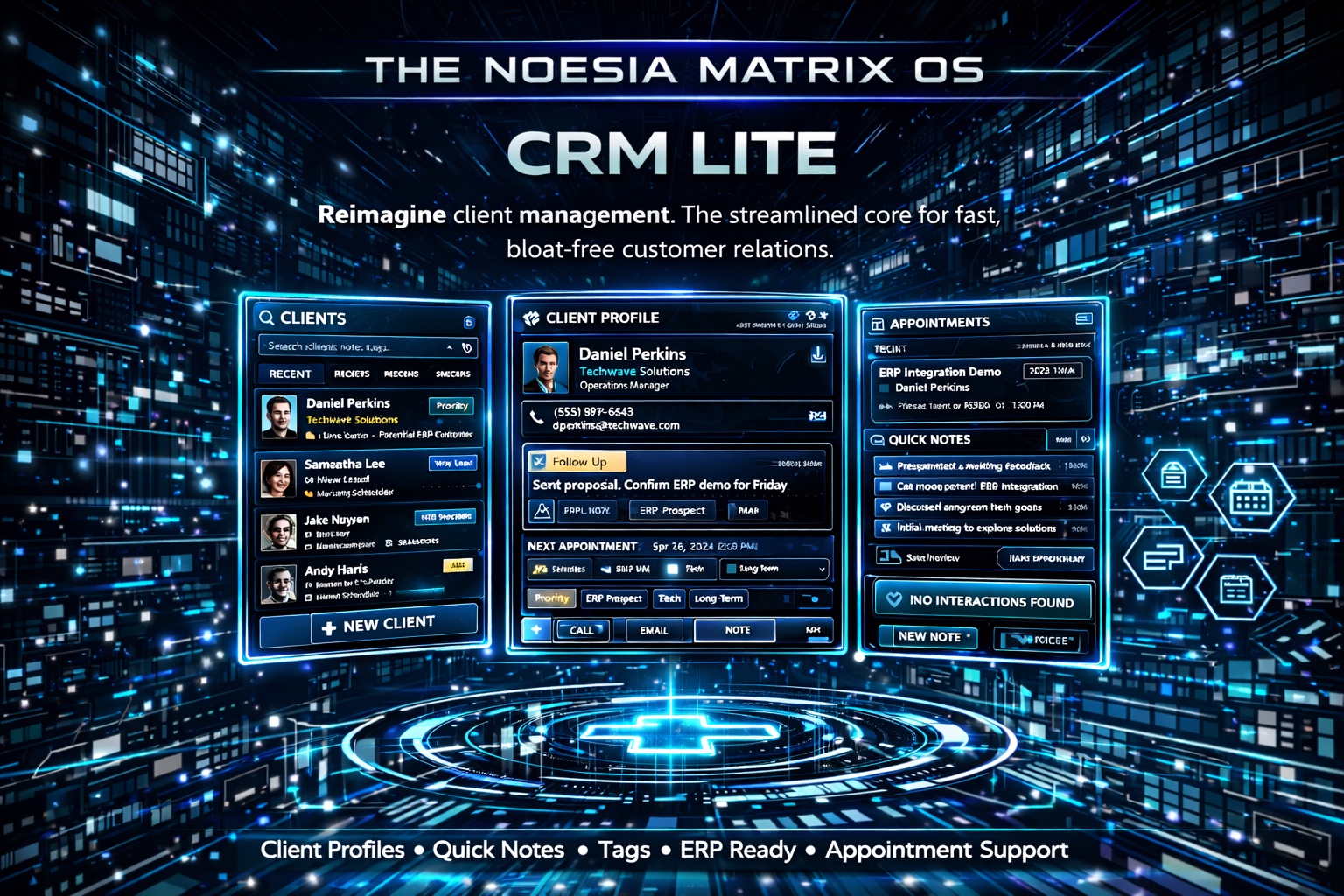
Useful for keeping customer history understandable, identifying important accounts quickly, and seeing who needs follow-up, not just who exists in a database.
Useful when tags, statuses, notes, and attachments need to stay visible in one clean workspace instead of being scattered between emails, spreadsheets, and chat messages.
Useful when a contact relationship needs to evolve into a structured party, quote, order, invoice, or other commercial process without retyping the same identity from scratch.
Admin path: open the Noesia Smart Waiter admin area and select CRM Lite from the module shell.
Tier: this module belongs to the Pro layer.
Operational role: CRM Lite is the relationship side of the commercial stack, designed to work cleanly before and alongside ERP Lite.
Before importing or creating many records, define the tags that will actually matter operationally, such as lead quality, account type, region, partner status, VIP relevance, or follow-up priority.
Use a small number of meaningful states so the workspace remains readable. The module is intentionally stronger when teams avoid overengineering their own workflow.
Some records remain relationship-only. Others should become ERP parties when the account enters quotations, orders, invoicing, or structured commercial movement. Decide that threshold early.
CRM Lite becomes much more valuable when notes and attachments capture real context: what the customer needs, what was promised, what matters next, and what should not be forgotten.
Start with the profile itself, keeping the identity clean and readable before adding depth.
Use tags and state to tell the team what kind of record this is and how important it is operationally.
Capture the commercial or service context that someone will need later when memory alone is no longer enough.
Use the record to understand what the next action is, who owns it, and whether the account is moving forward or stalling.
When the relationship needs to become a structured commercial workflow, use the ERP linkage path instead of rebuilding the same identity elsewhere.
The main listing area helps the team find records fast, read the account landscape, and understand where attention is needed without opening every profile individually.
The profile is the anchor of the module: identity, essential details, working context, and the operational truth of the relationship.
This is where the record becomes readable at a glance. A strong tag and status system reduces noise across the whole team.
The notes area preserves what was discussed, promised, requested, escalated, or postponed, turning CRM Lite into a useful memory layer.
Files connected to the relationship stay next to the account instead of disappearing into email threads or file folders no one revisits.
This is the bridge area where a CRM relationship can connect to ERP Lite and become part of structured commercial movement.
Create the profile, assign the first tag set, mark the status clearly, and leave a short note that explains what makes the lead relevant or uncertain.
Use a small number of useful tags, a readable status, and one honest note instead of forcing the team through dozens of optional settings they will stop trusting.
When the account is ready for commercial action, keep the relationship context in CRM Lite and move the structured party workflow into ERP Lite without rework.
Notes, statuses, tags, and attachments together create a record that still helps months later when staff changes or multiple operators touch the same account.
Use tags to identify VIP, strategic, partner, recurring, or sensitive accounts so they stand out immediately in the daily workspace.
Issue: the module does not appear in the shell.
Why it happens: the account lacks the needed capability, the Pro layer is not available, or the installation is running a filtered build.
What to do: confirm Pro access first, test with an administrator-level account, and verify the module is enabled in the current environment.
Issue: the tag system starts helping less instead of more.
Why it happens: too many similar tags were created without a simple operating rule.
What to do: reduce the active tag vocabulary, merge duplicates, and keep only tags that support real decisions or segmentation.
Issue: someone expects a giant enterprise CRM with hundreds of knobs.
Why it happens: CRM Lite is intentionally built to stay functional and understandable instead of overwhelming the user with massive configuration depth.
What to do: use it as the operational relationship layer it is designed to be, and rely on ERP Lite when the workflow becomes heavier and commercially structured.
Issue: the team is unsure when a CRM account should become an ERP party.
Why it happens: the operational boundary between relationship management and commercial execution was not agreed internally.
What to do: define a simple rule: contacts stay in CRM until a structured quote, order, invoice, or party workflow is needed.
Issue: the record exists, but the next operator still cannot understand what happened.
Why it happens: notes were too vague, too short, or too inconsistent.
What to do: write practical notes: what was requested, what was promised, what matters next, and any commercial or service sensitivity.
Issue: files are uploaded, but the team cannot tell why they matter.
Why it happens: attachments were added without record context or naming discipline.
What to do: keep file names meaningful and add a short note so each attachment has purpose inside the account story.
Issue: a record looks organized, but the status no longer reflects reality.
Why it happens: the team updates notes but forgets to update state.
What to do: treat status as a decision field, not a decoration. Change it whenever the account changes meaningfully.
Issue: the team starts building unnecessary internal complexity.
Why it happens: they are recreating a giant enterprise CRM mindset inside a deliberately lighter workspace.
What to do: return to the intended model: clean profiles, clear tags, simple statuses, useful notes, and ERP bridging only when needed.
Issue: spacing or visuals look broken in the site builder.
Why it happens: outside CSS is overriding the wrapper or extra generic selectors were added.
What to do: keep the snippet inside the noesia-swa-matrix wrapper and avoid generic site-wide selectors that collide with the module surface.
Yes. CRM Lite belongs to the Pro layer.
Yes. The module is intentionally built to stay functional and understandable instead of overwhelming the user with endless setup complexity.
Yes. Tags are a core part of how records stay segmented, readable, and operationally useful.
Yes. ERP integration is one of the major reasons CRM Lite exists as part of a wider commercial stack.
Yes. Notes and attachments are part of the practical relationship record.
No. CRM Lite helps manage the relationship and account context; ERP Lite handles the heavier structured commercial workflows.
No. It is also useful for operators, admins, account handling, and service-oriented follow-up workflows.
No. A smaller set of meaningful states usually makes the module stronger and easier for the team to trust.
Only when they help real segmentation. Too many tags quickly reduce clarity.
Yes, but the integration becomes especially valuable when the account relationship turns into a commercial workflow.
Yes. That is part of its design philosophy.
Yes. Tags and statuses make that kind of account differentiation practical.
The Noesia Matrix is the shared architecture language and module fabric behind Noesia Smart Waiter. This module is not just a static page; it sits inside an isolate-first modular system designed for shell-driven navigation, clean section ownership, extensible widget zones, and future-safe expansion.
The architecture direction is intentionally high-control: modular ownership, isolated assets, lazy-ready behavior, clean settings flow, predictable prefixes, maintainable service boundaries, and enterprise-safe discipline around structure, security, and extensibility. Noesia transcends the definition of a standard WordPress plugin, operating as a robust platform built upon enterprise-grade Service-Oriented Design.
Here is how the core engine is designed to minimize bloat, maximize stability, and keep the experience consistently fast and responsive:
Event-Driven Inversion of Control (IoC): The platform follows an IoC pattern via a decoupled Event Bus. The central core acts as a “Logic-Less Host” (Blind / DUMMY Kernel). It does not tightly bind itself to module internals; modules announce their own presence, capabilities, and state through controlled registration flows.
The Micro-Frontend Paradigm (MFE): The UI is not a giant monolithic block. Each application behaves as an independent Micro-Frontend with its own dynamic assets, specialized logic, and UI contracts.
Strict Asset Isolation & Lazy-Loading: Resource usage stays disciplined. A module’s CSS, JavaScript, and data components are loaded only when the user reaches or interacts with that specific application surface.
Decoupled Registry Pattern: The dynamic discovery layer allows applications to be added or removed quickly without rewriting core logic. If one application encounters an issue, the architecture is designed to contain that impact instead of cascading it across the platform.
Enterprise-Grade Security & Stability: The platform is reinforced with strict input sanitization, dynamic registry routing, and defensive safety gates across the stack. The data layer and the user interface remain deliberately separated for maintainability and risk control.
The Result: A scalable hospitality and clinical operating system engineered to manage mission-critical workflows securely — from intimate cafés to high-traffic venues and sensitive medical environments.
When you open a ticket, include one clean screenshot, the exact visible error text or wrong result state, short reproduction steps, and whether the problem is constant or intermittent. That reduces back-and-forth and speeds up resolution.
Open SupportEnter the application layer: Explore the full Noesia Smart Waiter ecosystem and discover how each isolated module helps serve hospitality, operations, business workflows, and the wider mission to reimagine life through smarter software.
Scroll into the Matrix: The catalog below is the live gateway to the platform. Move through Free and Pro environments, open each documentation page, and step directly into the next application surface.